
Overview
A Simple, Structured Way to Gather Insight

Build Surveys That Fit Your Business Needs
Create tailored surveys that support feedback, training, and internal assessments
Odoo’s Surveys app allows businesses to design structured questionnaires for customers, employees, and partners. From quick satisfaction checks to detailed assessments, the tools are flexible enough to support many use cases.
Key Functions
Drag-and-drop tools to design survey structure
Custom question types for flexible data capture
Real-time previews to confirm survey flow
Collect Responses Easily Across Any Channel
Share surveys using email invites, links, or embedded website forms
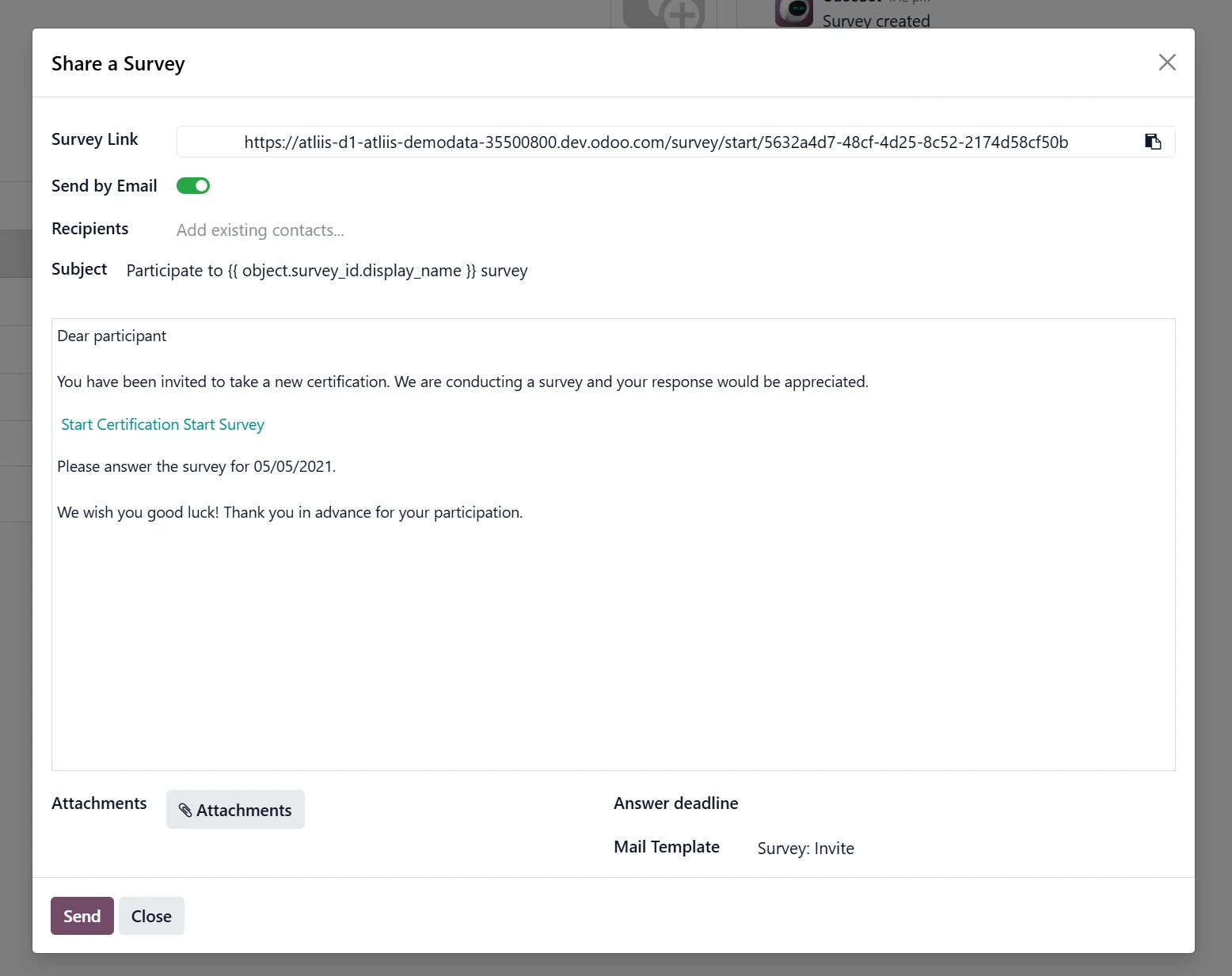
Once a survey is ready, it’s simple to distribute. Odoo supports multiple channels, making it easy to reach respondents wherever they are.
Key Functions
Shareable links for quick public accessibility
Built-in email sending for targeted groups
Optional access rules to control participation
Track Progress Through Clean, Visual Reporting
Monitor completion rates and analyse response patterns automatically
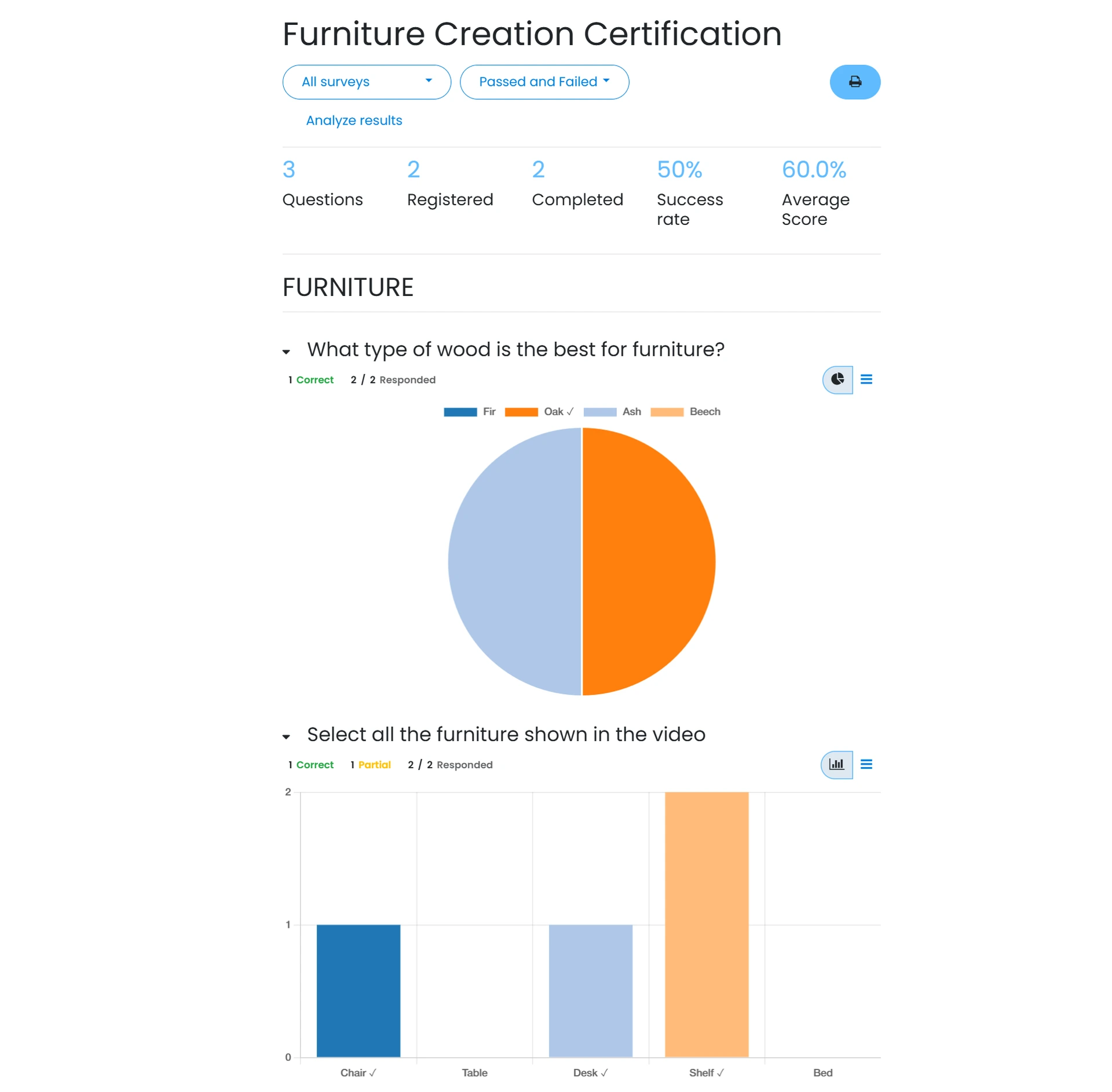
Odoo automatically compiles results as responses come in. The reporting dashboard makes it easy to see progress, trends, and areas requiring attention.
Key Functions
Automatic scoring based on survey rules
Visual dashboards for reviewing response data
Export tools for sharing reports externally
Use Surveys to Support Training and Certifications
Combine surveys with Odoo eLearning for knowledge checks and assessments
Surveys also play a role in Odoo’s training ecosystem. Businesses can link surveys to eLearning courses to test understanding or measure progress.
Key Functions
Question scoring to evaluate participant knowledge
Certified attempts for formal assessment workflows
Retry options supporting ongoing learning cycles
Automate Actions Based on Survey Responses
Connect surveys with workflows to trigger follow-up tasks
Because surveys live inside Odoo’s ecosystem, they can trigger automation. This helps teams respond faster when results require action.
Key Functions
Auto-create tasks based on specific responses
Follow-up emails using templated messaging
Link surveys to CRM or HR processes
The Takeaway
Odoo Surveys gives businesses a flexible way to gather structured feedback, run assessments, and support internal training workflows. With intuitive creation tools and built-in analytics, it helps teams collect and use information without needing external systems.
Looking Ahead
As Odoo continues strengthening its integration across apps, Survey features increasingly work alongside CRM, HR, eLearning, and automation tools. This means more opportunities for centralised insights, consistent processes, and smarter decision-making supported by real-time data.