

Overview
A practical look at how Odoo helps teams create quotes,
manage orders, and keep customer communication organised without relying on spreadsheets or scattered systems.
What It Does
Sales is usually where businesses experience the most friction: manual quoting, lost emails, forgotten follow-ups, stock uncertainty, and delays between “yes” and delivery. Odoo brings structure to all of this so nothing slips through the cracks.
Where It Helps Most
Sales is usually where businesses experience the most friction: manual quoting, lost emails, forgotten follow-ups, stock uncertainty, and delays between “yes” and delivery. Odoo brings structure to all of this so nothing slips through the cracks.
How it Fits Into Odoo
Sales integrates CRM, Inventory, Accounting, Projects, and Subscriptions effortlessly.
Key Connections
CRM passes qualified opportunities into Sales for quoting
Inventory updates product availability in real time
Accounting receives confirmed orders for invoicing
Project and Subscription apps launch work automatically
See It in Action
1-minute walkthrough of Odoo Sales.
Creating Quotes
Clear tools for building accurate quotations quickly and sending them to customers with confidence.
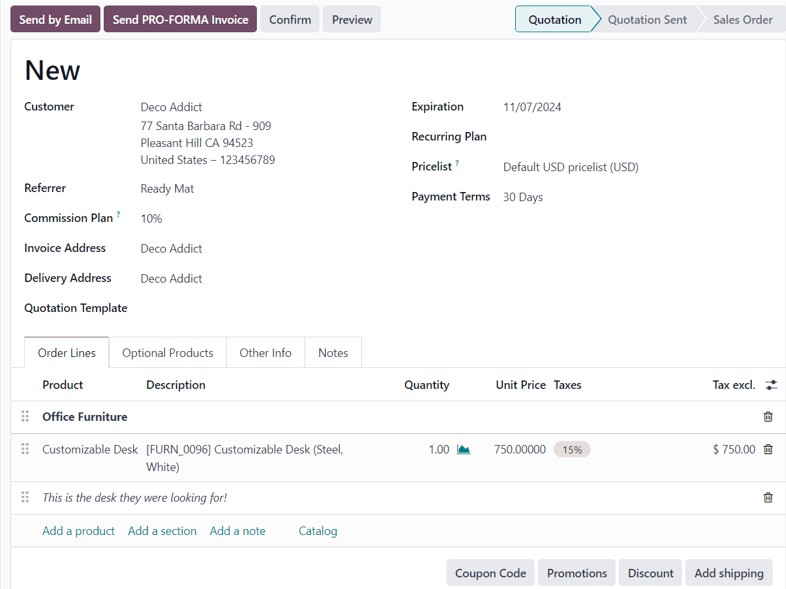
Key Functions
Build quotes using products and saved price lists
Send professional documents with one-click templates
Track quote acceptance through real-time customer activity
Managing Sales Orders
A structured view for tracking what has been sold, what’s ready to deliver, and what’s awaiting invoicing.
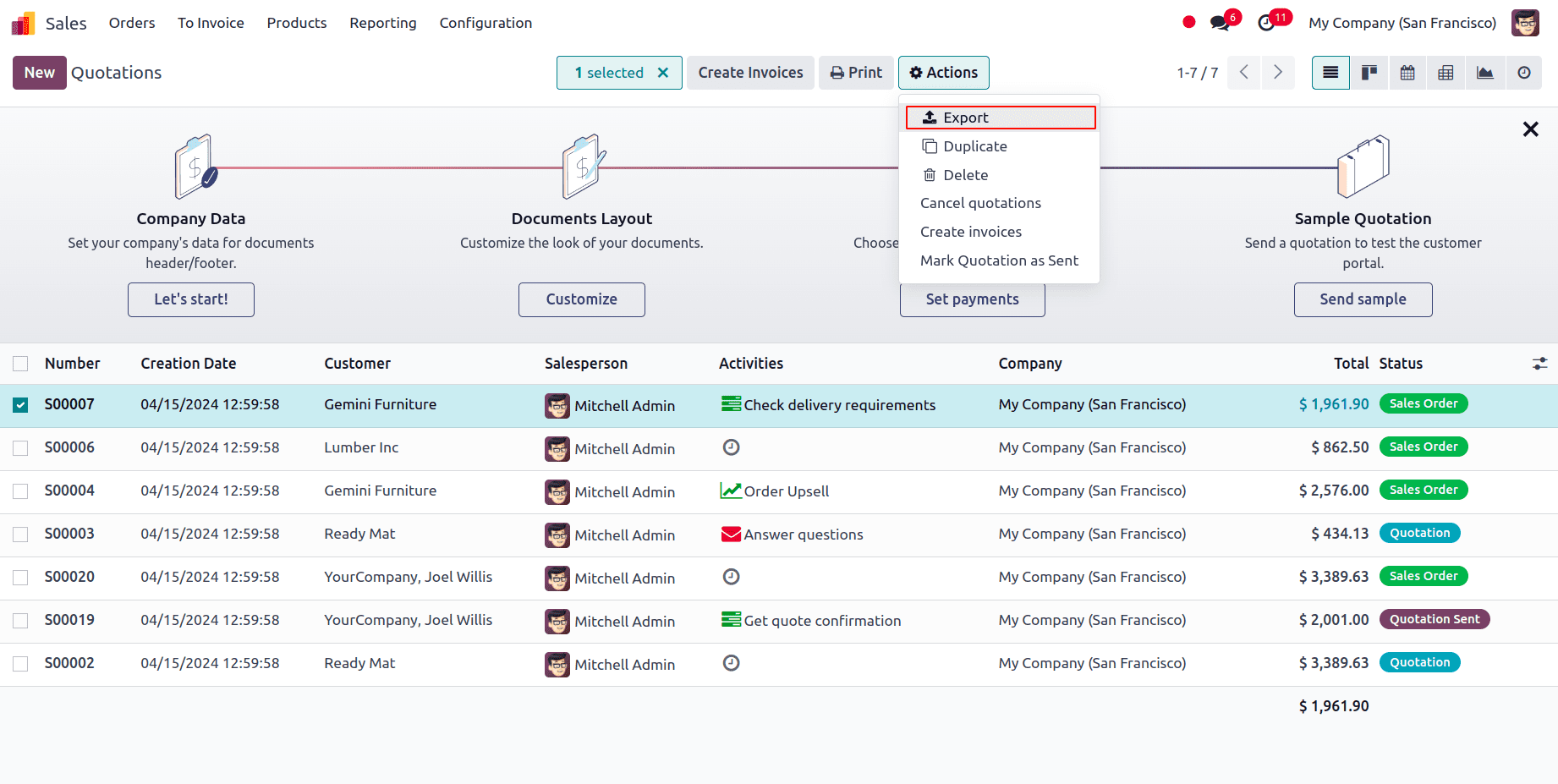
Key Functions
Convert quotes to orders in a single action
Monitor delivery progress and product availability
Keep invoicing and revenue information consistently aligned
Product & Pricing Control
Flexible tools for managing product information, pricing tiers, variants, and customer-specific agreements.
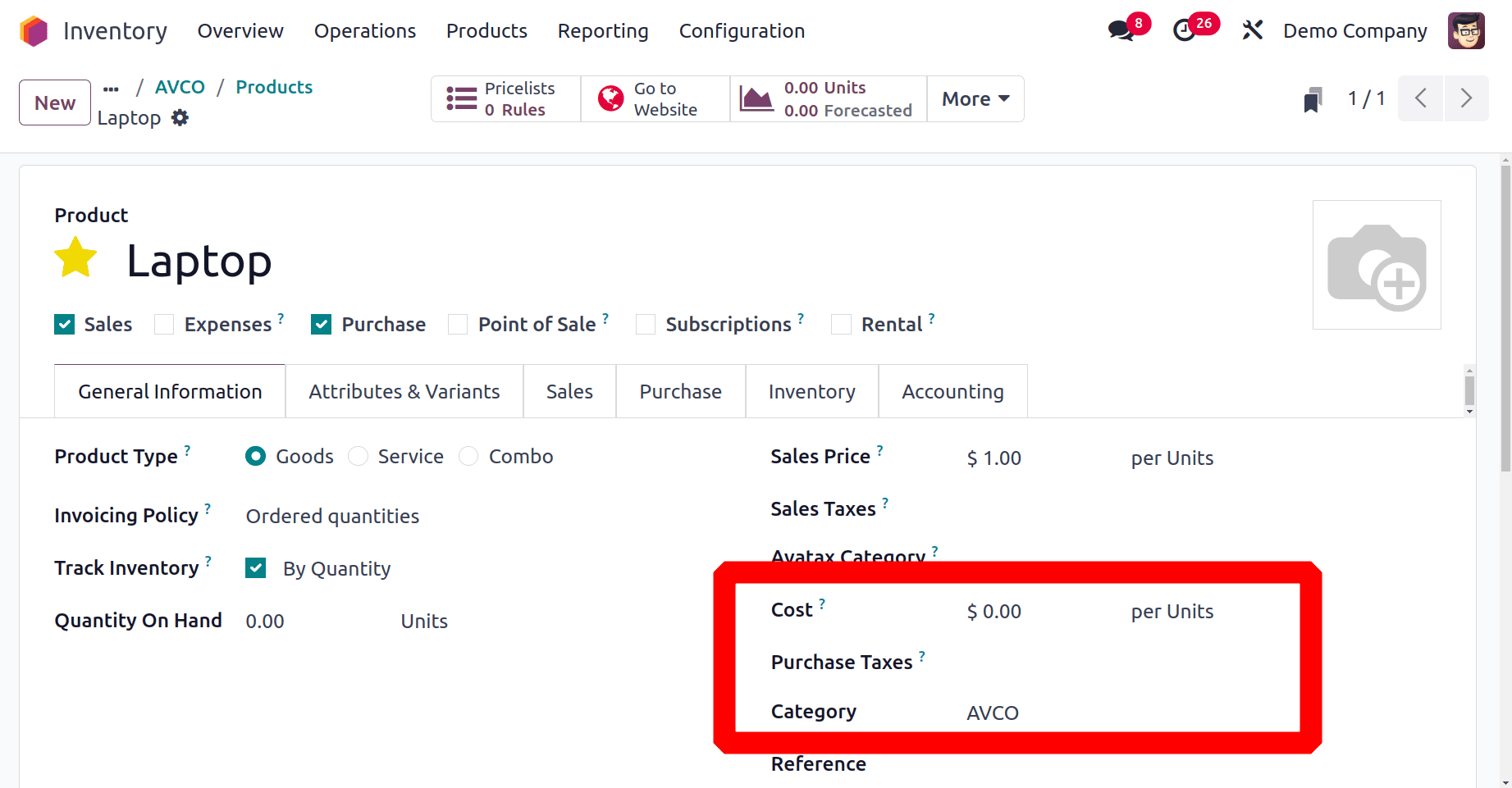
Key Functions
Store product details with rich description options
Use price lists to manage customer-specific pricing
Define variants and attributes cleanly for sales teams
Customer Communications
A built-in communication trail that captures messages, approvals, and documents directly inside each sales record.
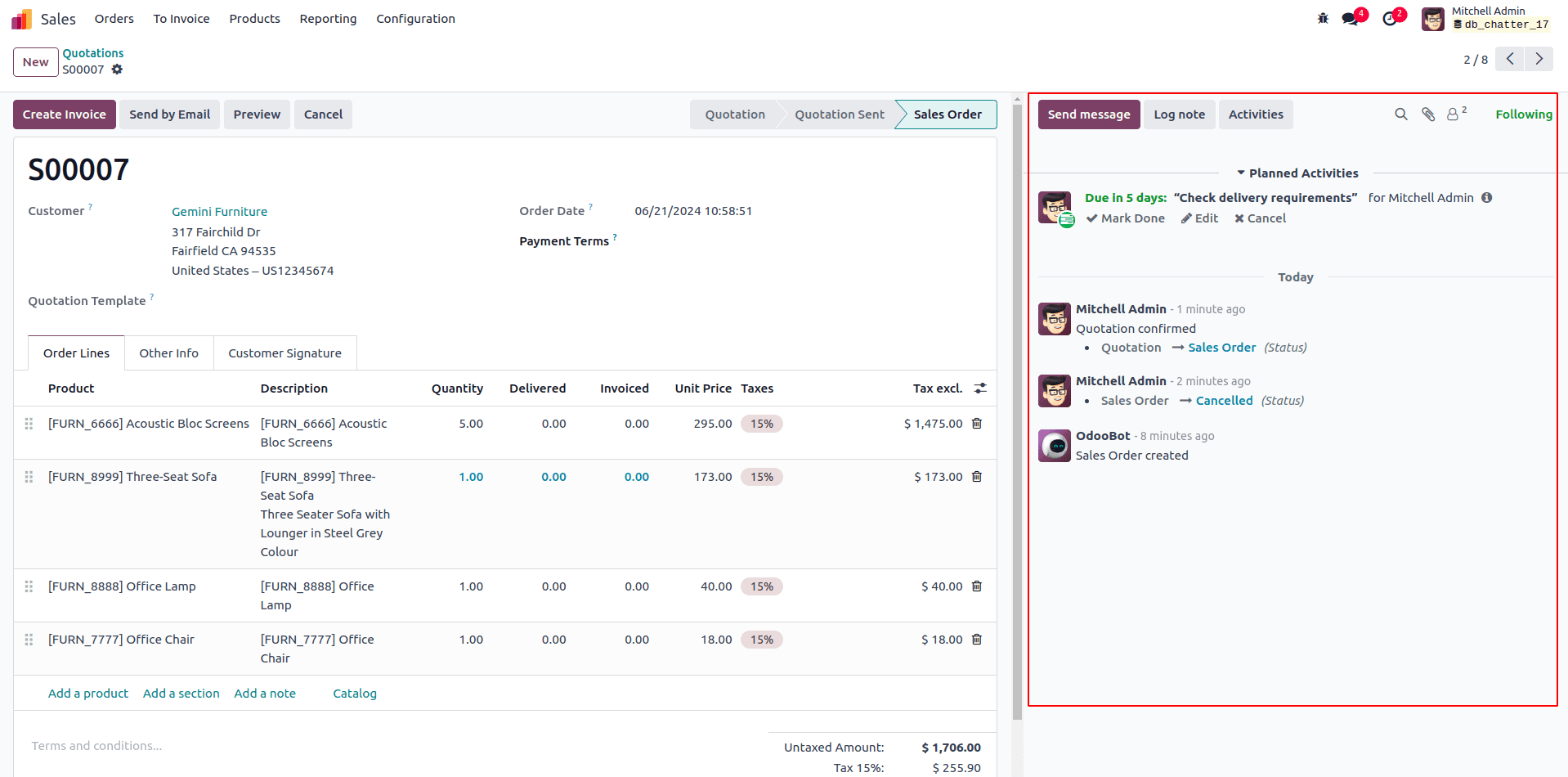
Key Functions
Track customer replies inside the sales record
Send follow-ups directly from the order workspace
Store attachments, approvals, and signed documents
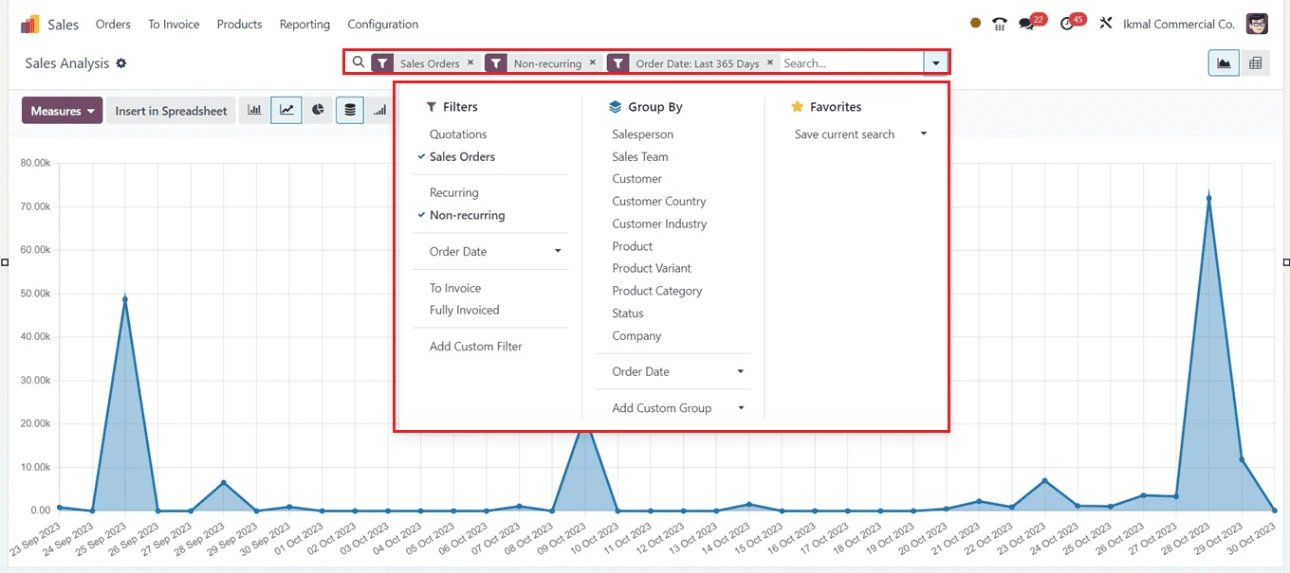
Forecasting & Reporting
Real-time visibility into performance, revenue expectations, and sales activity trends.
Key Functions
See real-time revenue pipelines by month or team
Track quotation conversion and order performance
Export or customise dashboards for deeper insight
The Takeaway
Odoo Sales gives businesses a connected, easy-to-follow workflow for managing quotes, orders, and customer communication. It minimises manual work, keeps information flowing through related apps, and provides clear visibility into what’s happening in the sales pipeline at any moment.
Looking Ahead
Upcoming posts will explore CRM, Inventory, and Subscriptions to help you understand how these apps extend the Sales workflow end-to-end.