

App Overview
A quick introduction to how Odoo helps your team organise work, track progress, and stay aligned without going too deep.
What It Does
If you’re exploring Odoo for the first time, Projects is one of the core apps you’ll want to understand early. It’s where teams plan work, manage tasks, and keep delivery on track, giving you a clear view of what’s happening across your organisation.
Where It Helps Most
It reduces scattered task lists, unclear priorities, lost communication, and manual tracking by bringing everything into one connected project view.
How It Fits Into Odoo
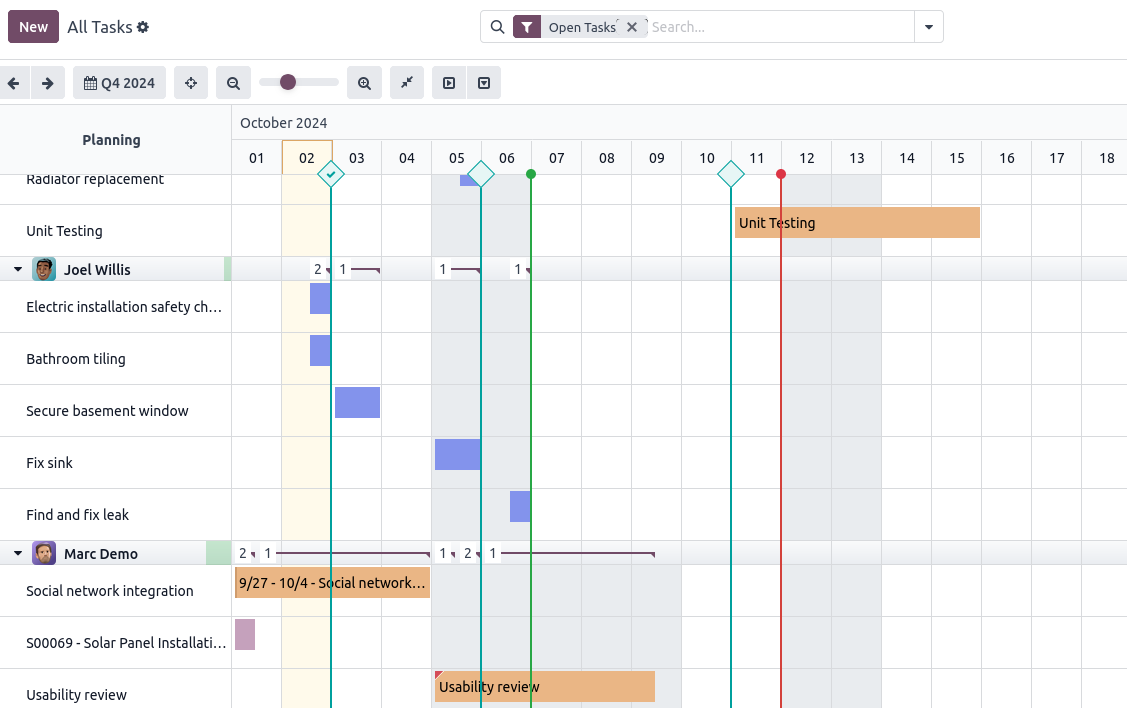
Timesheets and workload views show how time and tasks flow in your ecosystem.
Fully integrated with Sales, CRM, Helpdesk, and Timesheets
Real-time visibility across all project activity
Simple workflows teams can follow without training
Scales with both small task lists and full project delivery
See It in Action
A simple 4-minute walkthrough of Odoo Projects.
Planning & Organising Work
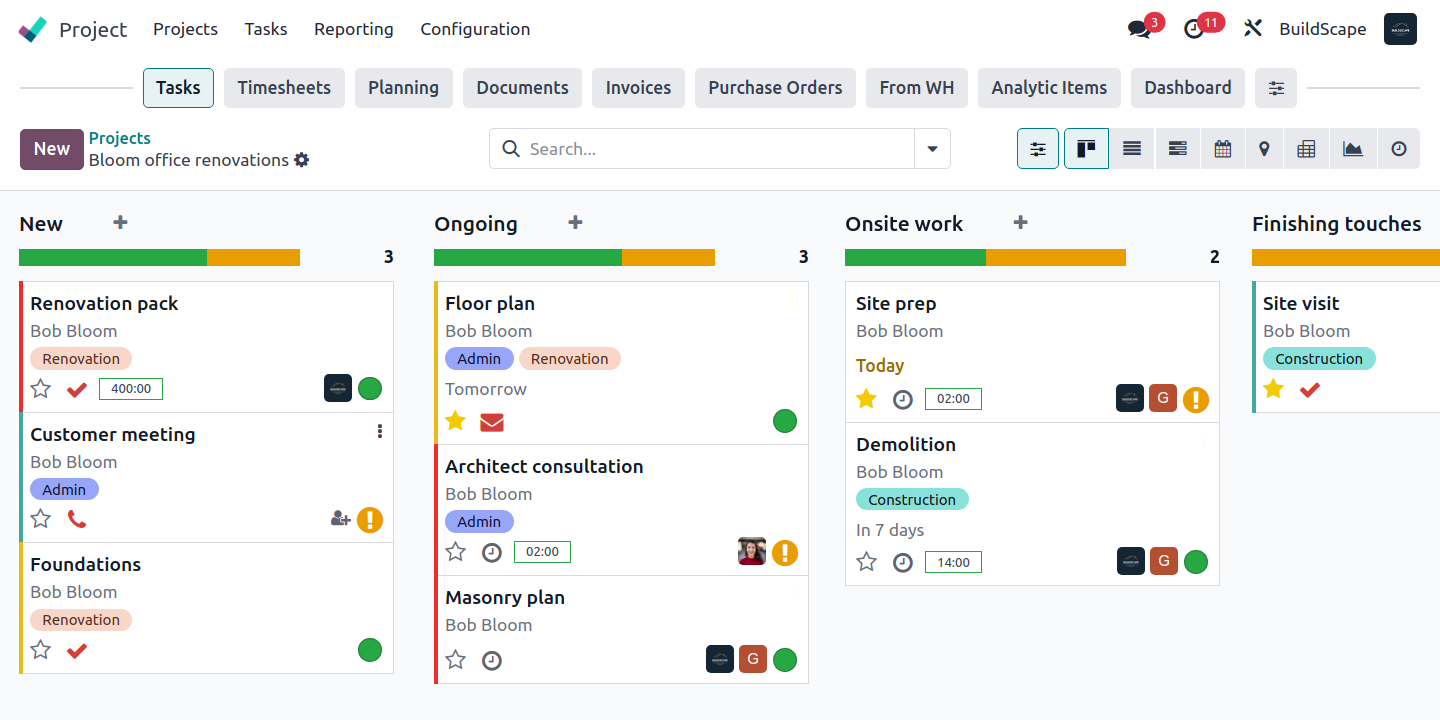
Odoo lets you set up projects, stages, and tasks in a structure that suits your team.
Key Functions
Create projects and customise stages
Add tasks with deadlines, priorities, and tags
Keep everything organised in one place
Tracking Progress in Real Time
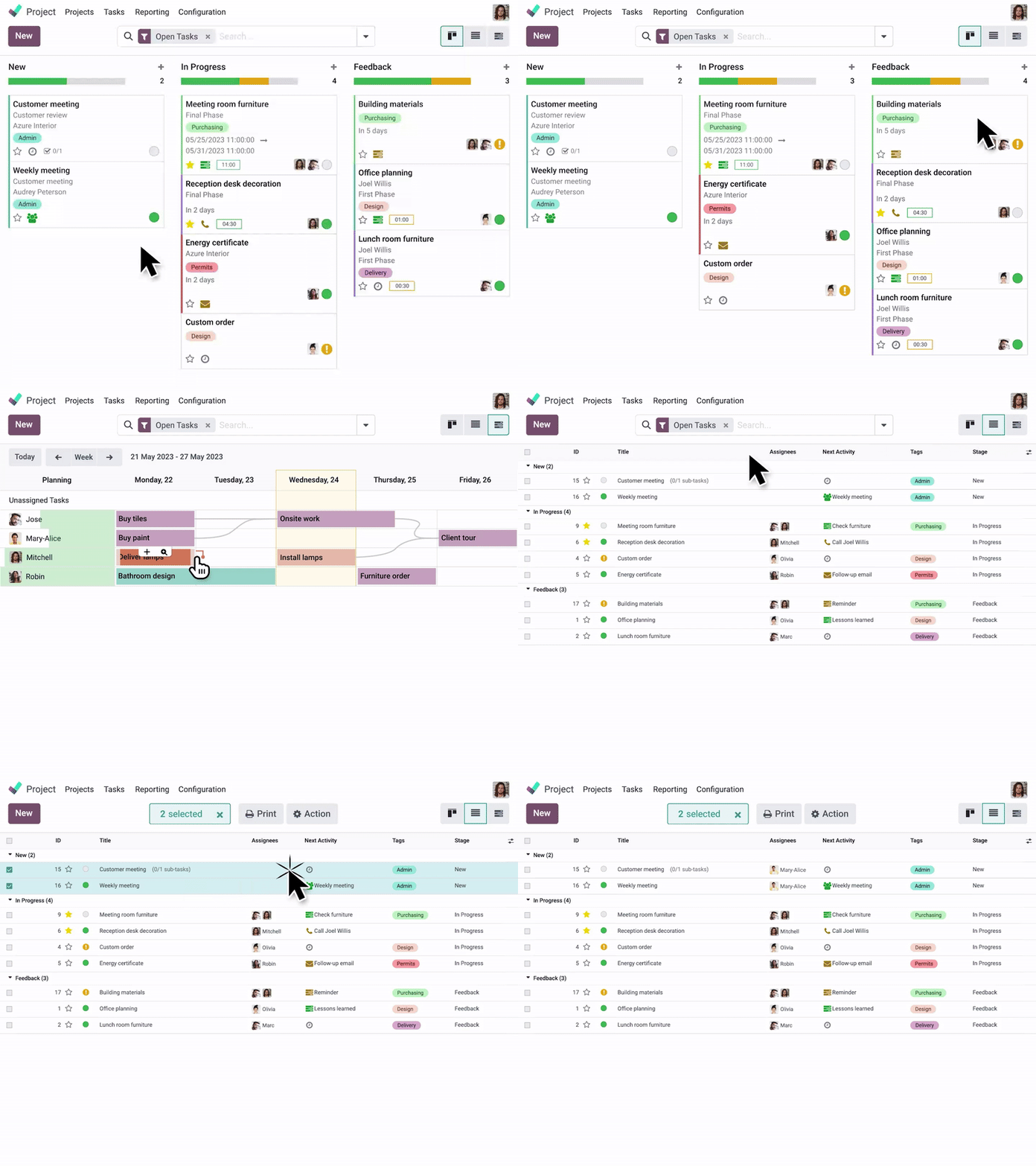
You can switch between views and use drag-and-drop to keep progress up to date.
Key Functions
Switch between Kanban, list, calendar, and Gantt
Drag-and-drop tasks as they progress
Instantly see the status of each workflow
Team Collaboration
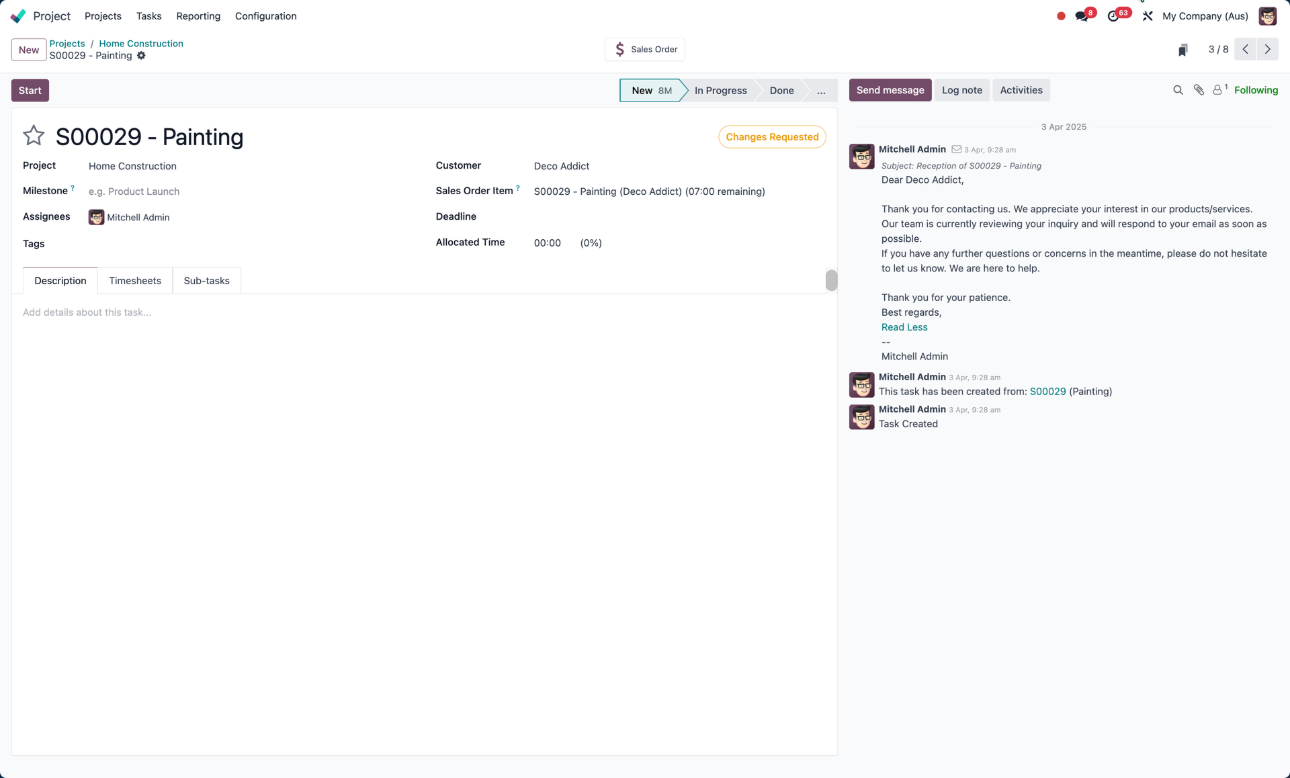
Communication stays linked to each task, so updates don’t get lost in email chains.
Key Functions
Comment and discuss directly inside tasks
Attach files and mention teammates
Keep notes, decisions, and updates in context
Managing Time and Resources
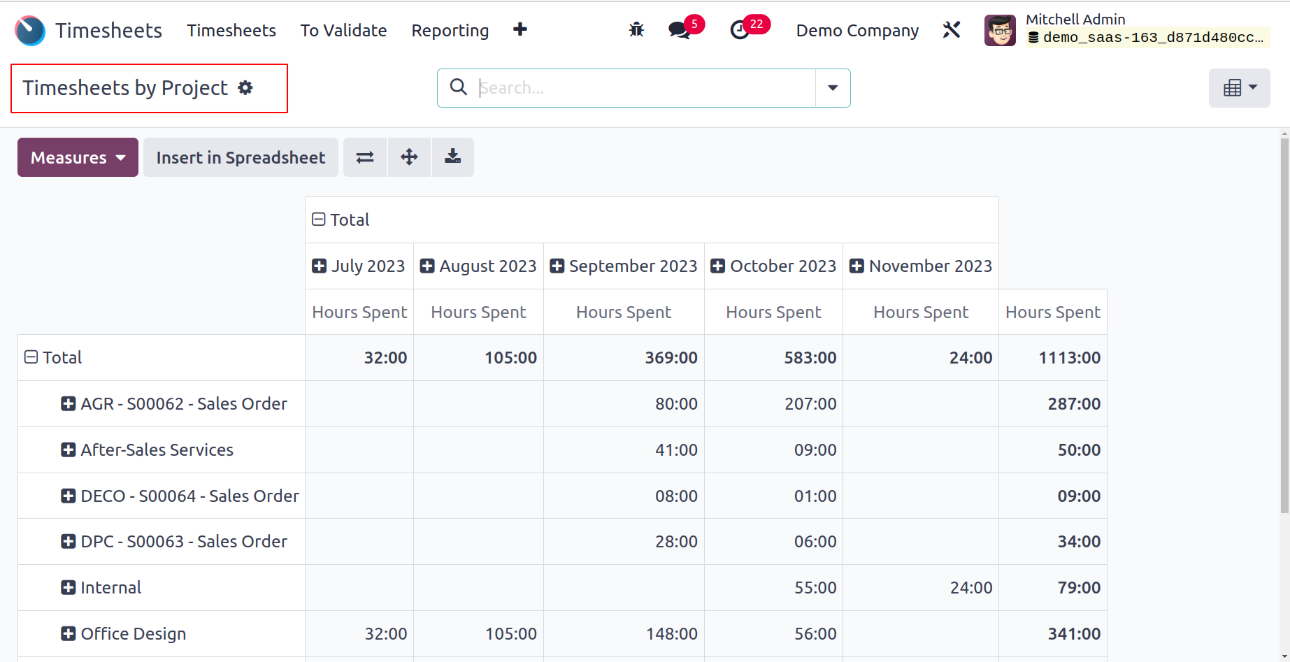
Workload and timesheet tools show where time goes and who’s handling what.
Key Functions
Log time straight from tasks
View team workload across the project
Track hours to support billing and reporting
Automating Routine Work
Templates, recurring tasks, and task dependencies help teams streamline processes and reduce manual management.
Key Functions
Use templates and recurring tasks
Add dependencies for structured timelines
Reduce repetitive admin with simple automations
Integrated Workflows
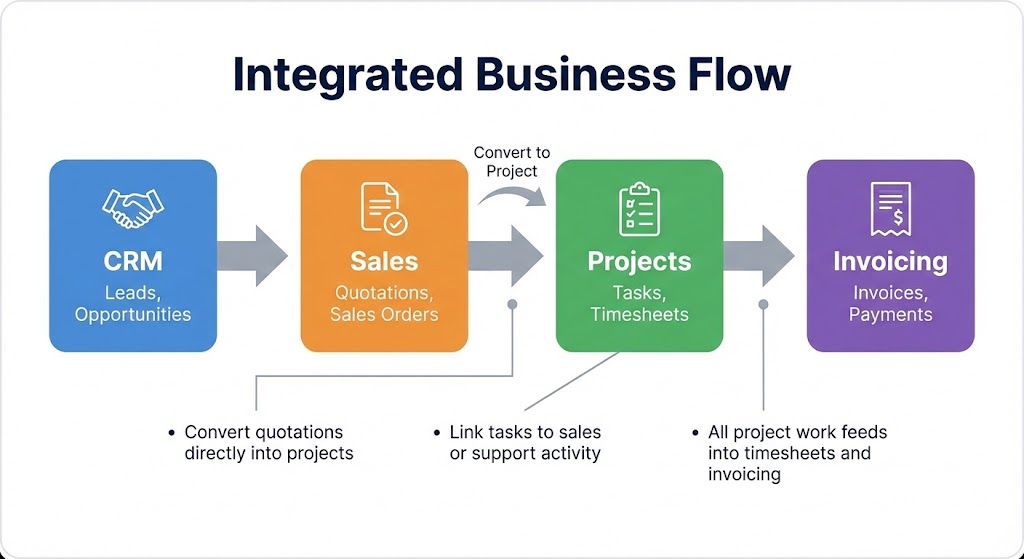
Projects connects naturally with other Odoo apps, allowing work to flow from quote to delivery to invoice without duplicate effort.
Key Connections
Convert quotations directly into projects
Link tasks to sales or support activity
All project work feeds into timesheets and invoicing
The Takeaway
Odoo Projects keeps work organised, visible, and easy to manage. It supports everything from basic task lists to full project delivery, all while staying tightly integrated with the rest of your Odoo system.
Looking Ahead
If this overview helped you get oriented, we’ll be publishing deeper guides on planning, collaboration, time tracking, Gantt scheduling, and automation so you can explore each area in more detail.