
Overview
A simple introduction to how Odoo helps you organise, share, and maintain your internal information without getting too technical.

What It Does
Knowledge is one of the apps worth understanding early. It becomes the central place for processes, guides, and internal documentation, giving your team a clear and consistent reference point across the business.
Where It Helps Most
It reduces scattered documents, outdated information, inconsistent processes, and version confusion by keeping your knowledge base connected and maintained inside Odoo.
How It Fits Into Odoo
Knowledge supports daily workflows by putting key information within easy reach.
Integrated across tasks, projects, HR, and helpdesk
Real-time updates without version confusion
Simple editing tools anyone can use
Built to scale as your documentation grows
See It in Action
A simple 3-minute walkthrough of Odoo Knowledge
Organising Articles & Information
Knowledge gives you a structured way to build and maintain your internal content library.
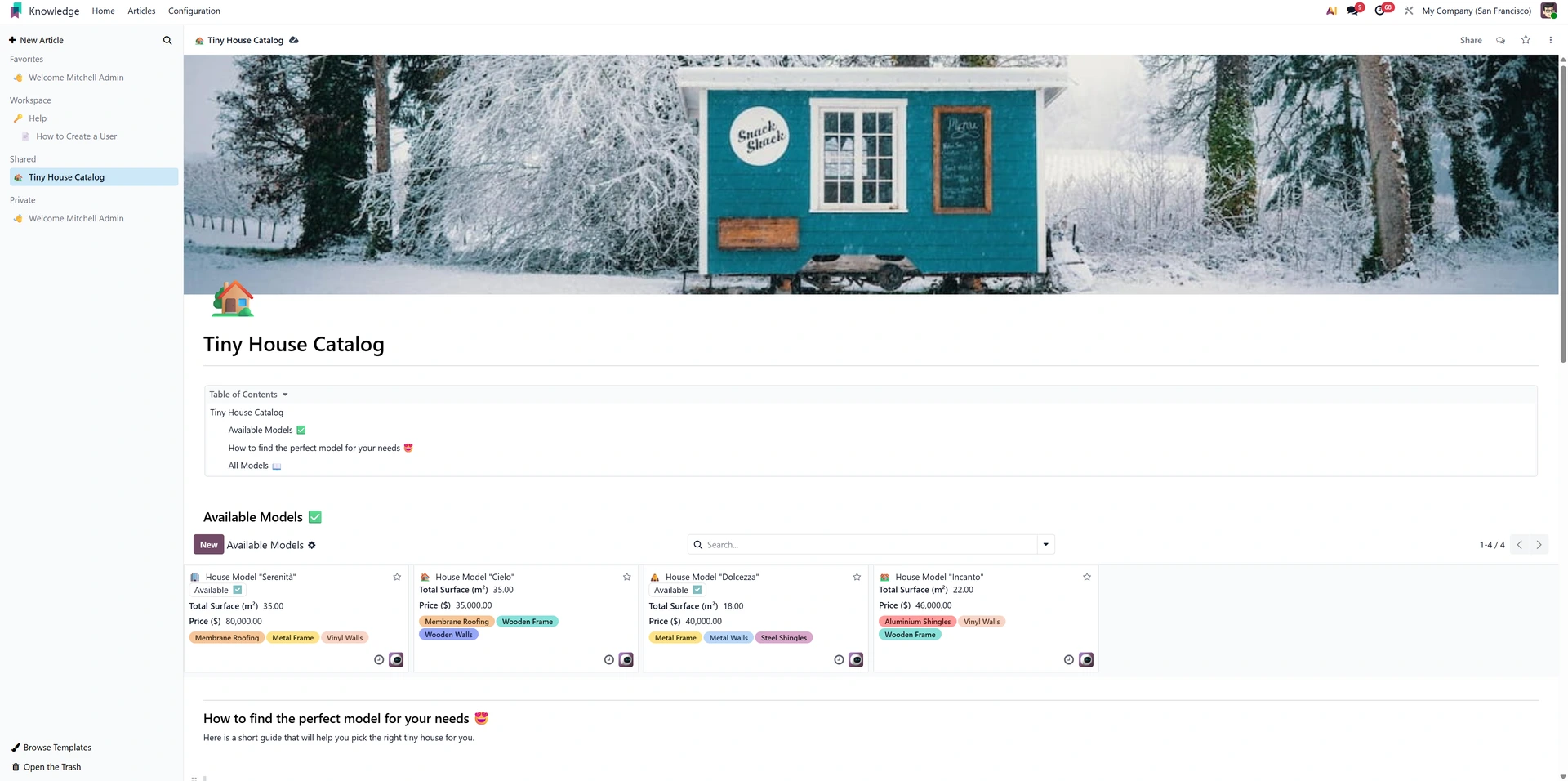
Key Functions
Organise articles with multi-level hierarchy
Drag-and-drop to reorder and structure content
Search quickly through large documentation spaces
Collaboration & Shared Editing
Multiple team members can work on content together without losing changes or duplicating efforts.
Key Functions
Real-time indicators showing active editors
Inline comments for smooth team collaboration
Version history to restore older changes
Richer Editing & Formatting Tools
The Knowledge editor supports structured, easy-to-read content, ideal for procedures, guides, and reference materials.
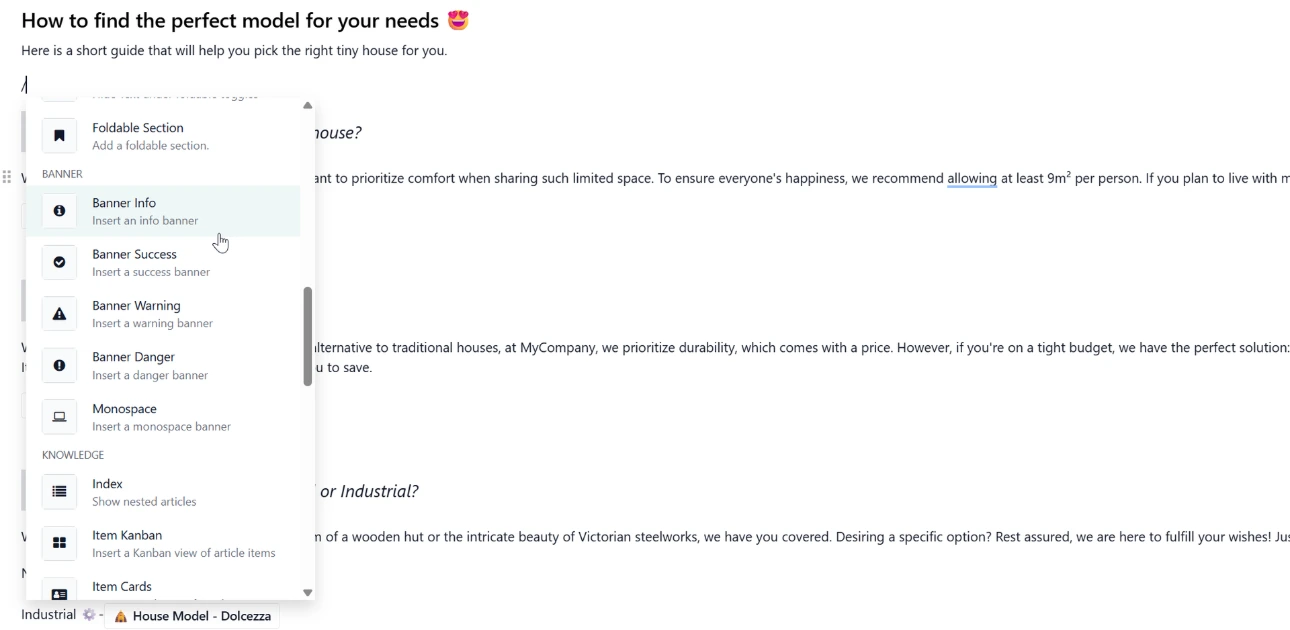
Key Functions
Formatting blocks for layouts, tables, and embeds
Easy media insertion for screenshots and files
Keyboard shortcuts for faster editing
Contextual Access Inside Other Apps
Knowledge appears inside task forms, helpdesk tickets, onboarding steps, and other workflows to guide users at the right time.
Key Functions
Embed articles directly into operational workflows
Use templates for repeatable instructions
Link articles across apps to improve discoverability
Permission Control & Secure Sharing
Keep internal information safe by controlling who can see or edit each article or folder.
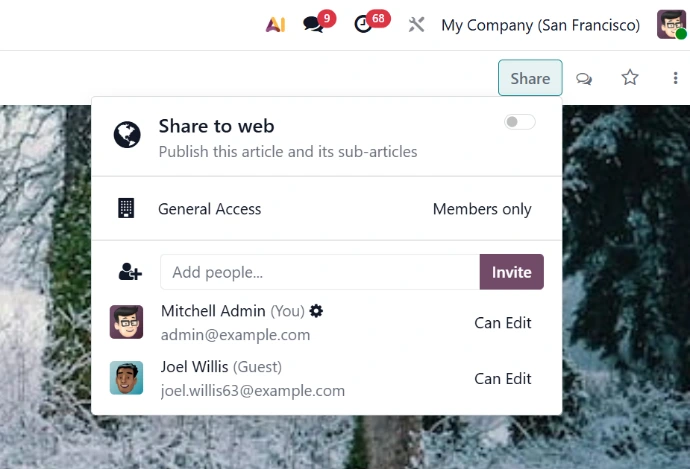
Key Functions
Manage access at folder or article level
Assign role-based permission defaults
Share secure read-only links externally
The Takeaway
Odoo Knowledge gives your business a central, structured, and collaborative home for processes and internal information. It reduces scattered documents, improves clarity across teams, and keeps your knowledge base evolving as the business grows.
Looking Ahead
If this overview helps you get your bearings, we’ll be publishing deeper guides on documentation, workflow-linked articles, access control, and formatting so you can explore each topic at your own pace.