

App Overview
A simple introduction to how Odoo stores, organises, and automates business files across your organisation.
What It Does
Managing business files shouldn’t feel scattered. Odoo’s Documents app brings storage, collaboration, and automation together, giving teams a clear, organised way to manage documents without leaving the system they use every day.
Where It Helps Most
It reduces scattered folders, manual admin, inconsistent file naming, and lost documents by keeping everything structured and connected to the records they belong to.
How Documents Fits Into Odoo
Odoo Documents sits at the core of your workflows, keeping files organised and accessible across teams.
Works seamlessly with Sales, HR, Projects, Accounting, and more
Keeps documents attached directly to records for easy access
Reduces admin with automation built into everyday workflows
Supports teams of all sizes with structured document processes
See It in Action
A simple 3-minute walkthrough of Odoo Documents.
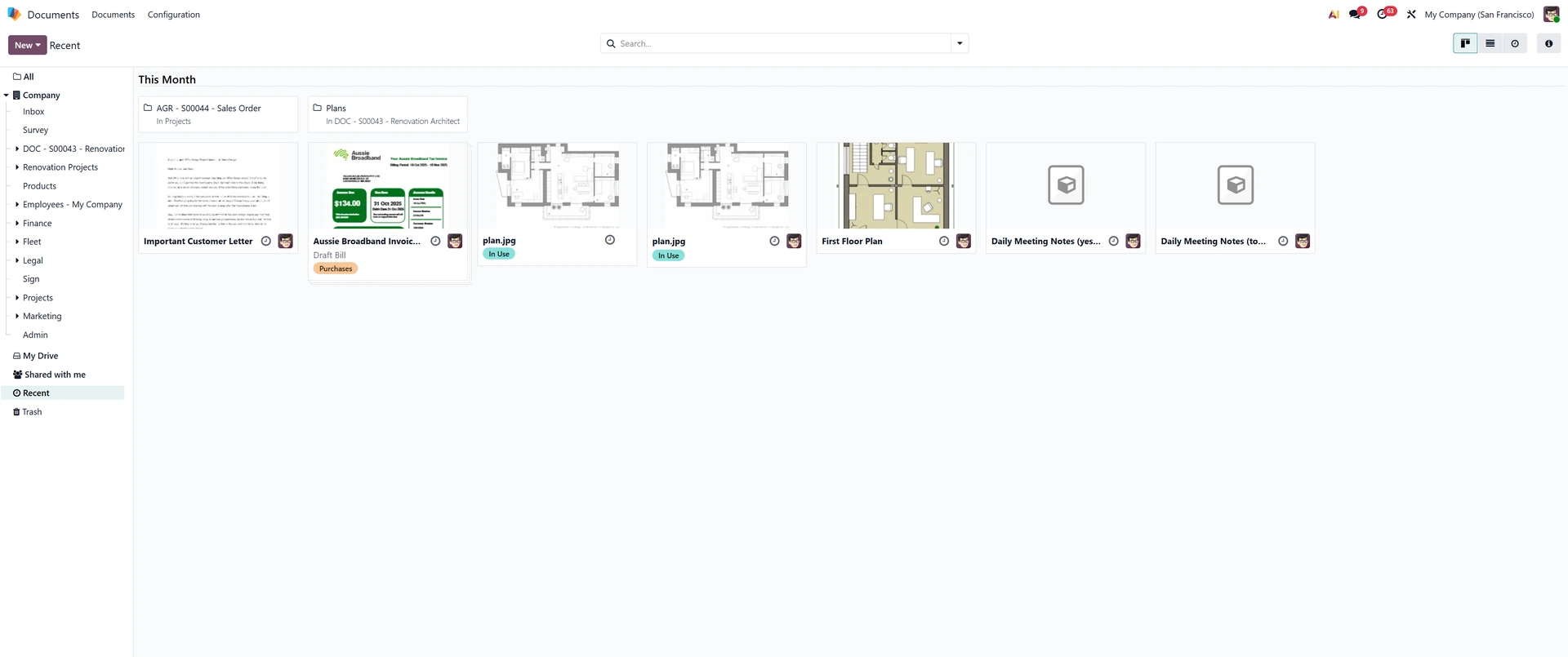
Centralised Document Storage
A unified space for teams to store and manage files.
Key Functions
Keeps files organised using folders and custom tags
Supports fast navigation through cleaner document structures
Reduces scattered storage with centralised file management
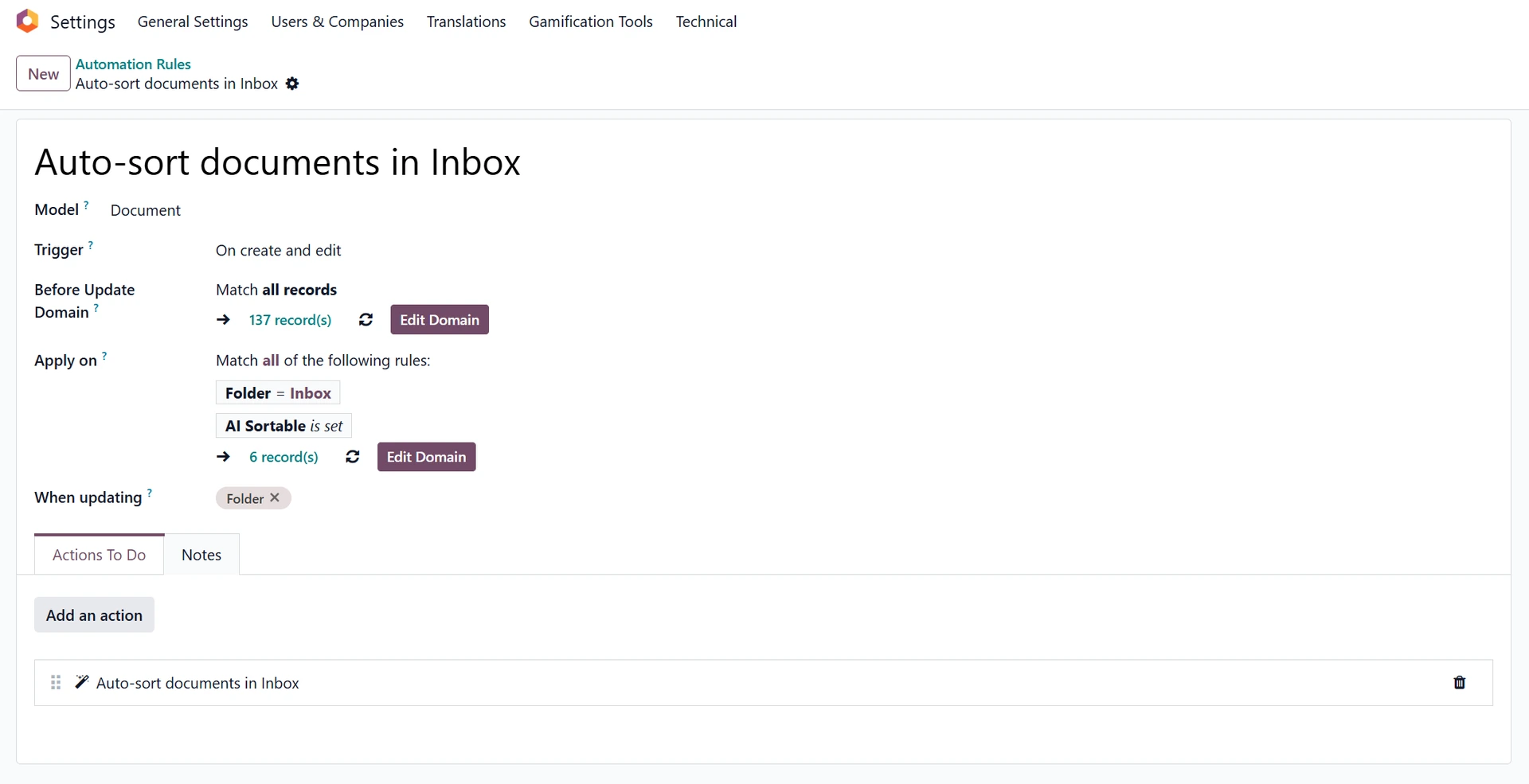
Smart Document Categorisation
Automated rules help organise documents with less manual effort.
Key Functions
Sorts files automatically using conditional routing rules
Applies tags when documents match predefined conditions
Moves items instantly to reduce repetitive sorting work
Integrated Collaboration Features
Tools that help teams review and work on documents together.
Key Functions
Enables internal notes directly on individual documents
Tracks updated versions through automatic revision history
Supports sharing links securely with external parties
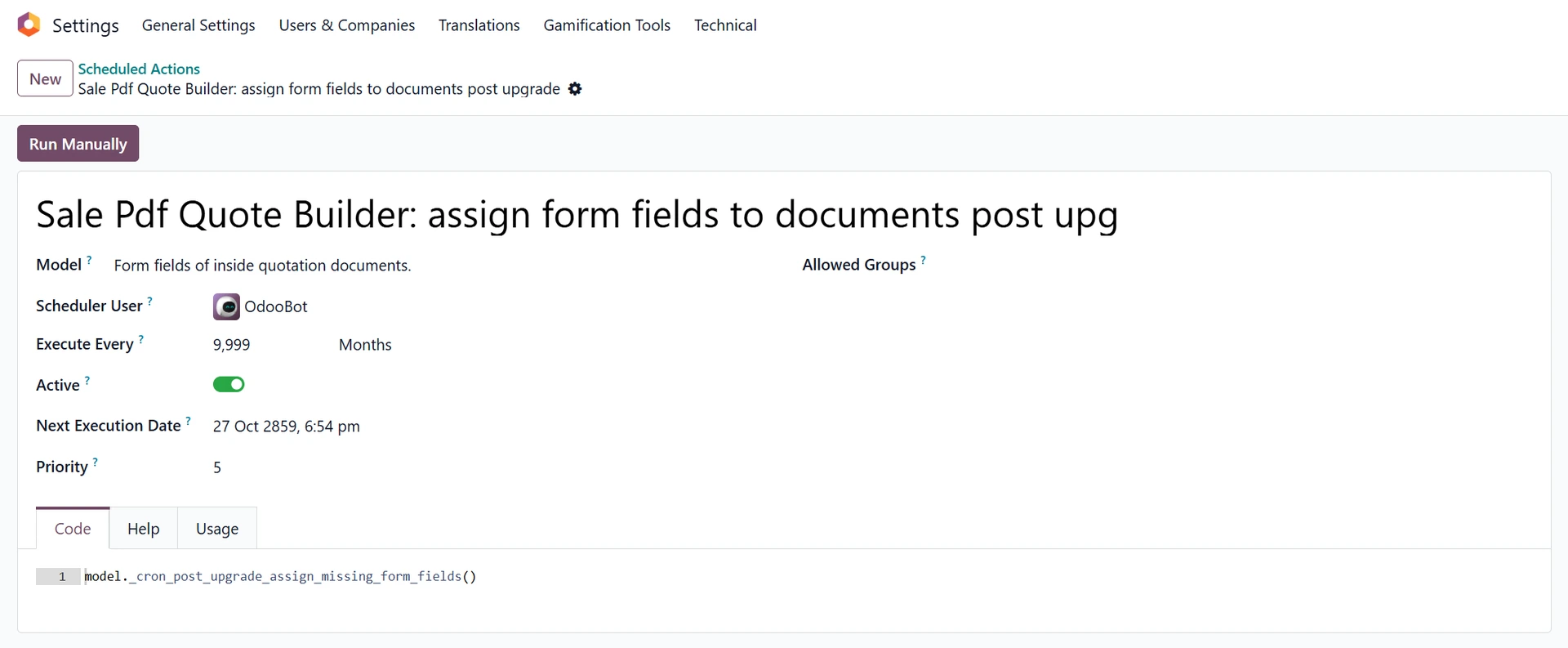
Workflow Automation
Document-driven workflows reduce manual tasks across processes.
Key Functions
Triggers actions when rules detect matching criteria
Sends review tasks to relevant team members automatically
Handles bulk operations for high-volume document flows
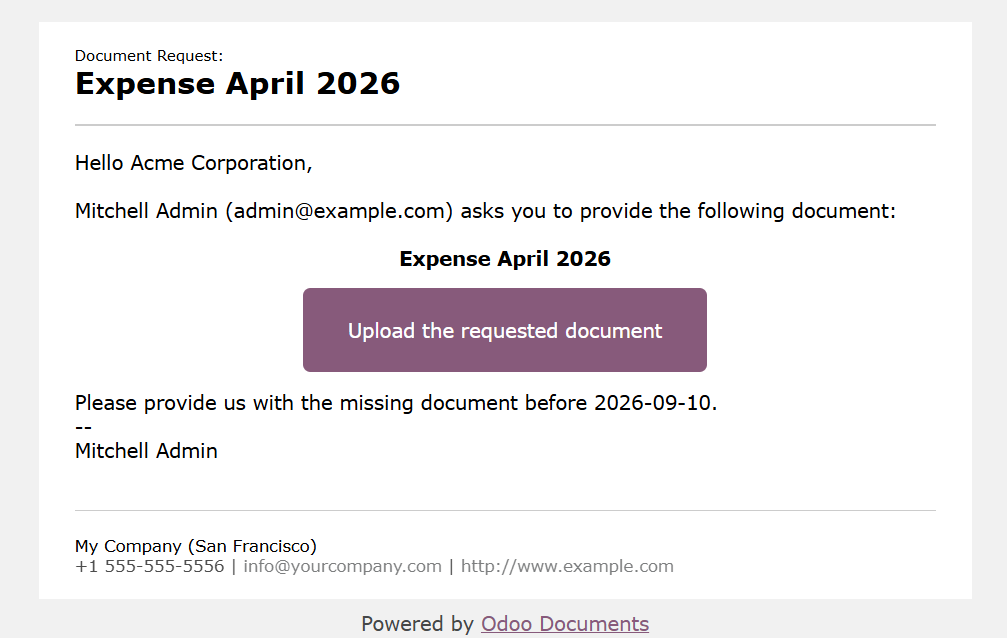
Document Requests
A simple way to collect files from clients or staff.
Key Functions
Creates structured requests for specific required documents
Provides upload links for external contributors securely
Tracks outstanding submissions for better process visibility
The Takeaway
Odoo Documents provides a structured space to store, organise, and work with business files. Its combination of rules, workflows, and collaboration features helps teams manage documents consistently while keeping everything centralised.
Looking Ahead
If this overview has helped you get your bearings, the next step is exploring how Documents connects with other areas of Odoo. We’ll be publishing separate guides on automation rules, collaboration tools, and integrated workflows so you can dive deeper at your own pace.