
What’s New in Odoo 19?
A Walkthrough of the Biggest Changes
What It Does
Odoo 19 brings upgrades across payroll, automation, reporting, and usability—making the platform cleaner, quicker, and more capable for everyday business operations.
Where It Helps Most
The new version reduces manual admin, improves compliance (especially for Australian payroll), strengthens automation, and gives teams a more intuitive interface for daily tasks.
Odoo 19 at a Glance
Here’s the short version before we dive deeper:
- Big payroll upgrades for AU compliance
- Stronger automation across core workflows
- Better reporting for clearer decisions
- More consistency across major apps
- Faster, cleaner, more intuitive UI
See It in Action
A deep-dive walkthrough of what’s new in Odoo 19
Payroll Gets the Attention It Deserves
Payroll is often avoided, so Odoo 19’s upgrades are a major help for staff management.
What’s new?
- Faster, smoother payslip generation
- Better handling of complex awards and cleaner contract/salary setup
- Stronger checks to prevent common payroll configuration mistakes
Why it matters for you:
Your payroll process becomes more accurate, more predictable, and far less stressful at the end of each pay cycle.
Accounting Gets Smarter
If you're involved in managing finances, you’ll appreciate what Odoo 19 does here.
The highlights:
- More flexible reconciliation tools and faster bank matching
- Cleaner, more reliable audit trails
- Improved automated tax and ABN validation for AU businesses
Why it matters for you:
You’ll close periods with fewer clicks and fewer headaches.
Better Reporting Across the Board
Odoo 19 strengthens built-in reporting so you can answer everyday questions faster, no spreadsheets required.
 The improvements:
- More flexible pivot dashboards and cleaner graphing tools
- Saved views that are easier to reuse
- Faster exports with improved formatting
Why it matters for you:
Decision-makers get answers without needing a data analyst.
Inventory & Warehouse Improvements
This release gives warehouses more control without extra complexity across all setups.
What’s new?
- More accurate demand forecasting
- Smoother barcode-driven flows with better lot/serial visibility
- Stronger automated replenishment logic
Why it matters for you:
Your stock data stays cleaner, and operations move faster.
CRM & Sales Feel More Connected
Odoo 19 links leads, opportunities, and sales documents more smoothly, with fewer clicks.
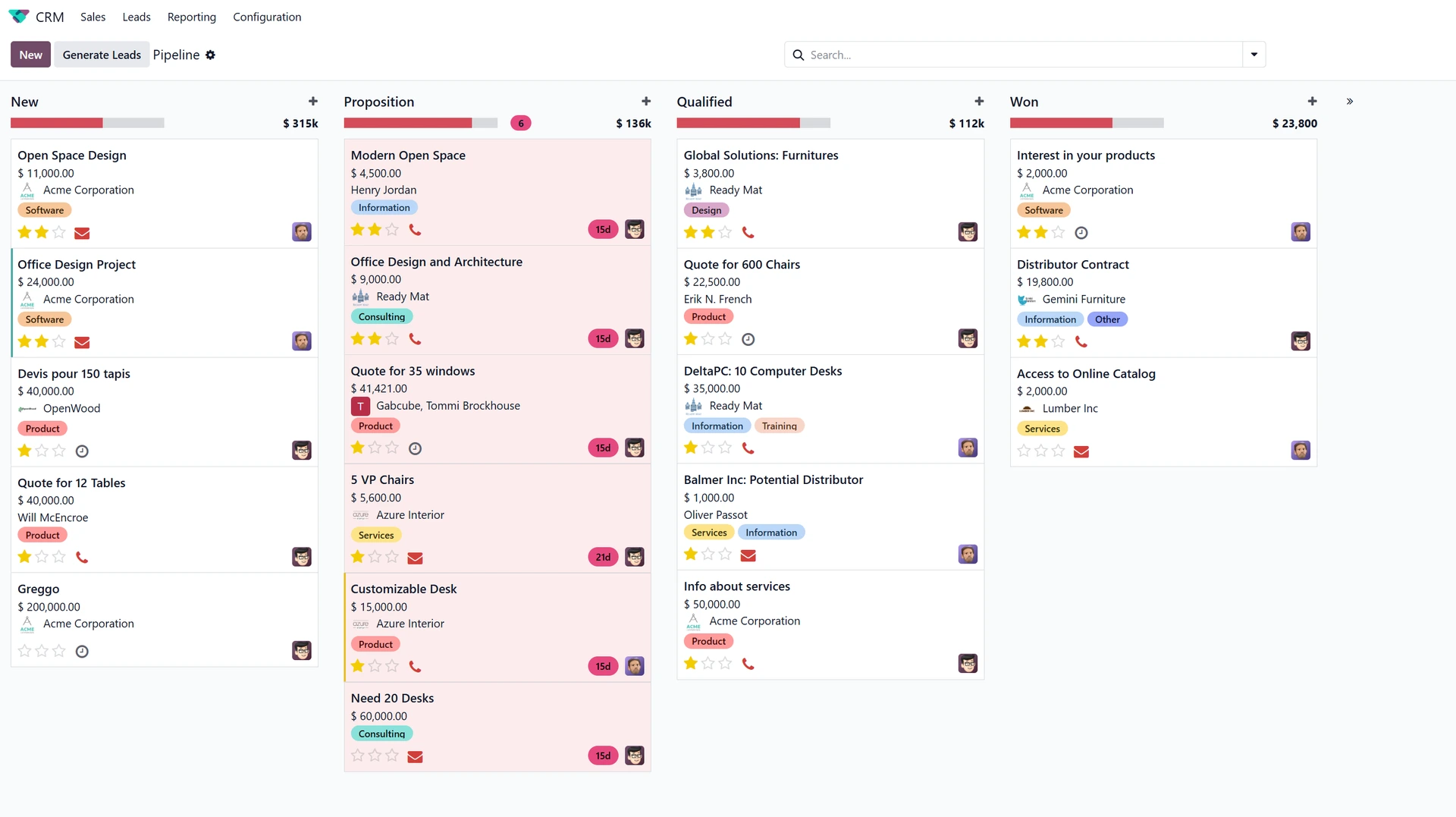
Key upgrades:
- More intelligent lead scoring
- Simpler quotation creation and faster pipeline navigation
- Cleaner activity management with improved reminders
Why it matters for you:
Your sales team stays organised without needing extra admin tools.
A Cleaner, Faster User Experience
The platform is faster, smoother, and more intuitive, which is something every user notices immediately.
 What’s changed?
- Faster page loads with a smoother overall feel
- Updated form and list designs
- Better navigation and more consistent UX across modules
Why it matters for you:
Your team spends less time “learning Odoo” and more time using it.
What This Means for Your Business
Upgrading isn’t just about new features; it’s about reducing friction across your workflows.
Odoo 19 feels smoother, more unified, and more automation-friendly than previous versions.
If your team is already using Odoo, this update removes many of the “little annoyances” that slow people down. If you’re exploring Odoo for the first time, 19 is a very polished entry point.
Looking Ahead
There’s a lot more under the hood, and we’ll be unpacking these features app by app in future posts.
If you’re curious about how Odoo 19 fits into your operations, keep an eye out for our upcoming deep dives into Inventory, Accounting, Purchase, and more.