
Access Rights Change as Teams Grow
Odoo permissions can become difficult to review as users, groups, roles, and apps change. Access that was appropriate earlier may become excessive or unclear later.
User Access Audit and Permission Report helps administrators review user permissions, groups, risk flags, and access rights in Odoo.
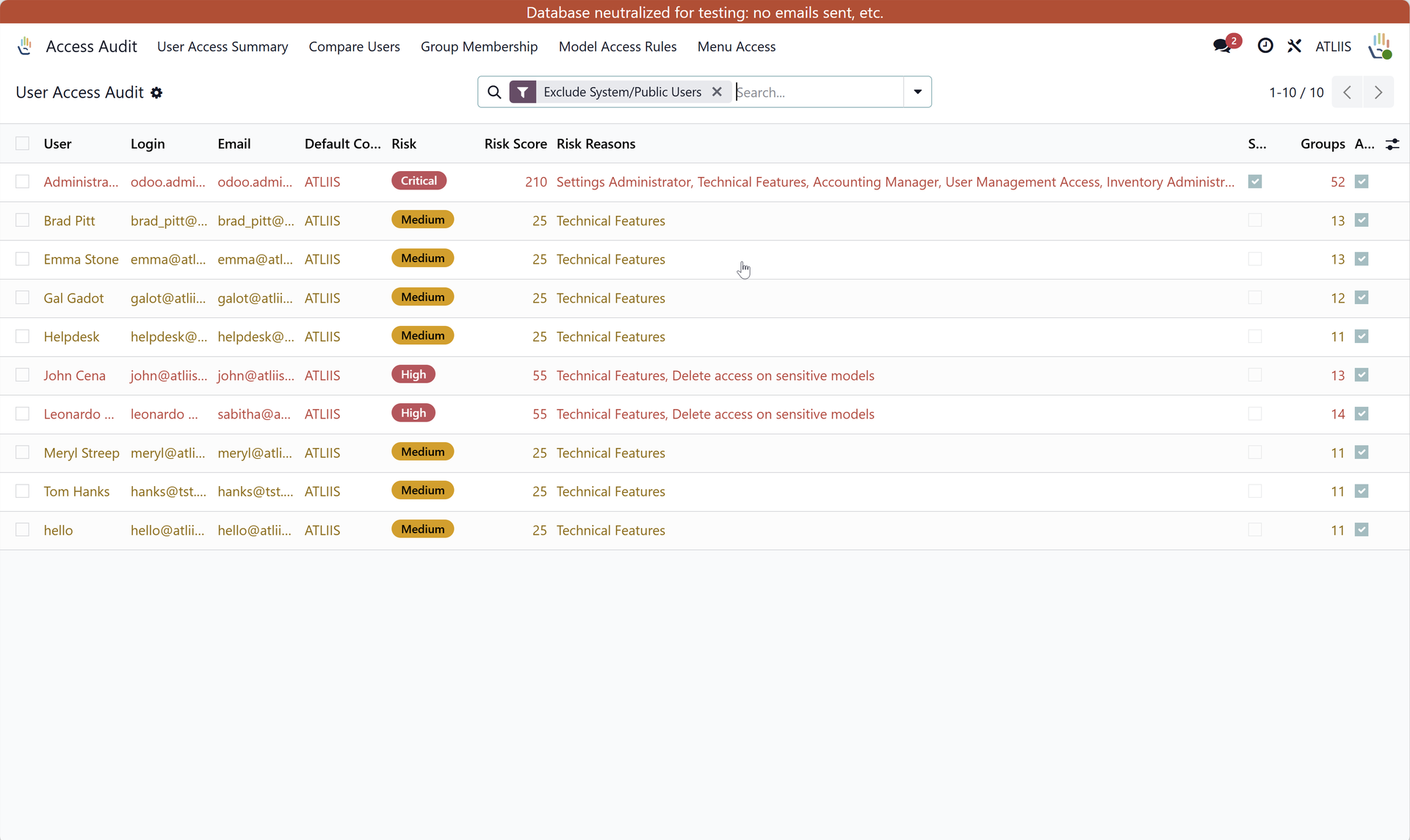
What the Audit Supports
User Reviews
Check what individual users can access.
Group Visibility
Understand how group assignments affect permissions.
Risk Review
Identify access patterns that may need closer attention.
Good Audit Practice
Review permissions with business owners as well as system administrators. Access should match real responsibility, not just historical setup.
Example: Periodic Permission Review
As employees change roles, join teams, or leave responsibilities behind, their Odoo access can drift from what they actually need. Periodic reviews help keep permissions aligned with the business.
User Access Audit and Permission Report gives administrators a clearer starting point for reviewing users, groups, risks, and access rights.
What to Look For
- Users with groups that no longer match their current role.
- Permissions that grant broader access than the job requires.
- Risk flags that should be reviewed with the relevant business owner.
Why Access Reviews Should Be Repeated
A one-time permission review is not enough for a growing Odoo database. Users change roles, temporary access becomes permanent, and new groups may be added during implementation or support.
Regular access audits help administrators and business owners confirm that permissions still match current responsibilities.
How to Use the Report Well
Use the report as a conversation starter with department owners. System administrators can identify access patterns, but business owners are usually the right people to confirm whether that access is still appropriate.
Why Business Owners Should Be Involved
Administrators can see permissions, but department owners usually know whether a user still needs that access. A useful access review combines system visibility with business judgment.
The report gives the review structure, while business owners help decide what should change.
What Makes the Report Actionable
An access report is most useful when it leads to a decision: keep, remove, adjust, or investigate. Treating the report as part of a regular access review habit makes it more valuable over time.
Explore User Access Audit and Permission Report on Odoo Apps
See the full app listing, screenshots, version details, and installation information on the Odoo Apps Store.