
A Small UI Detail Users Notice Every Day
List views are central to Odoo work. Users resize columns so they can scan data comfortably, but repeating that adjustment every time creates unnecessary friction.
Save List Column Width automatically remembers resized list columns and restores the layout when users return.
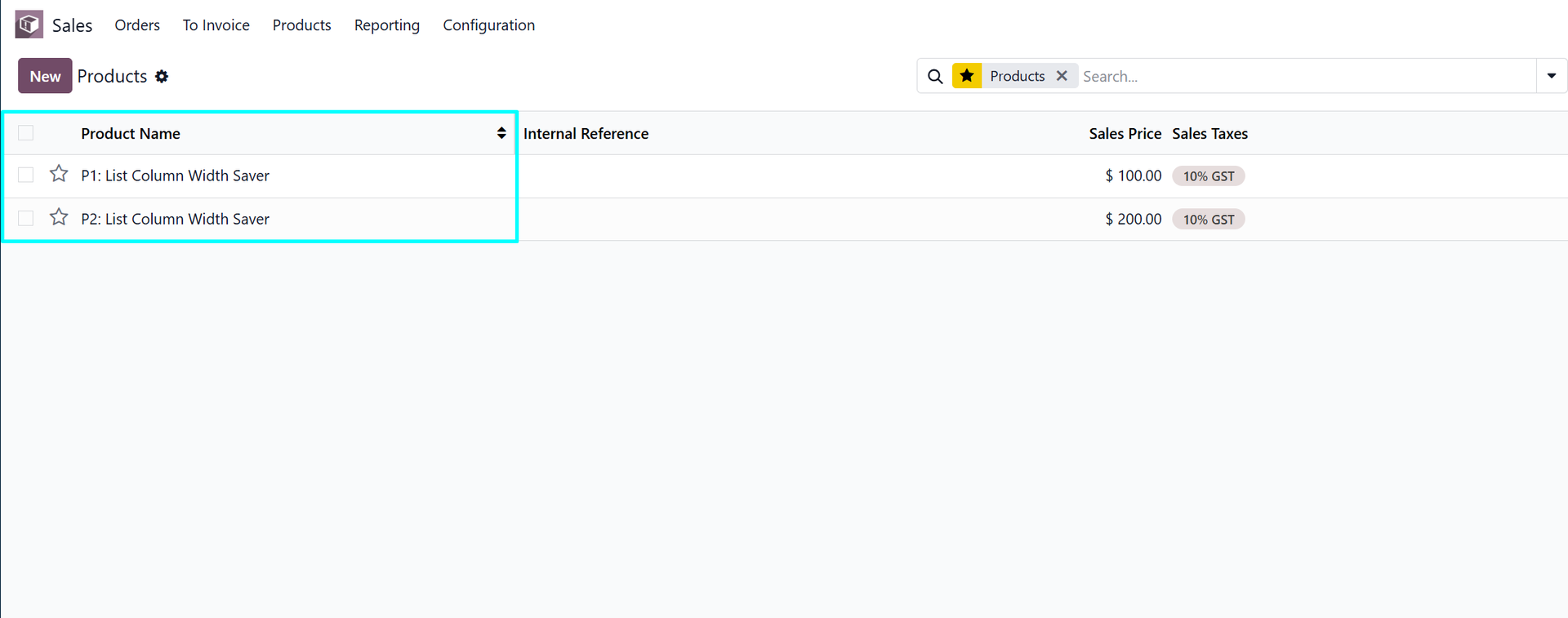
Why This Matters
This is not a heavy process app; it is a comfort improvement. The value is strongest for people who spend hours in sales orders, invoices, inventory moves, purchase orders, tickets, or custom list views.
Where It Helps Most
- Wide list views with many important columns.
- Users who repeatedly resize the same operational screens.
- Teams that want Odoo to remember personal layout preferences.
Example: Working With Wide Lists
An accounting user may widen invoice number, partner, reference, or amount columns to make a list easier to scan. An inventory user may do the same with product, lot, source, and destination columns.
Remembering those widths keeps the interface closer to the user's working style. It is a small change, but it removes a repeated annoyance from high-frequency screens.
Why Small UI Apps Deserve Context
A small interface improvement may not need a long workflow explanation, but it still deserves context. The value appears when users repeat the same adjustment many times across the week.
Saving column widths respects the user's preferred working view. For data-heavy roles, that can make Odoo feel more stable and less repetitive.
Who Will Notice It Most
- Accounting users scanning invoice or payment lists.
- Inventory users reviewing products, moves, lots, or transfers.
- Administrators working with technical or configuration lists.
How This Supports Data-Heavy Roles
Some Odoo users spend most of their day comparing rows and columns. For them, list layout is not cosmetic; it affects how quickly they can scan records and spot what matters.
Remembered column widths help those users keep their workspace stable across repeated visits to the same list view.
Explore Save List Column Width Automatically on Odoo Apps
See the full app listing, screenshots, version details, and installation information on the Odoo Apps Store.