
When Purchasing Comes Before the Customer Order
Some workflows begin with purchase activity and later require customer sales orders. Re-entering the same line details into sales documents slows the handoff.
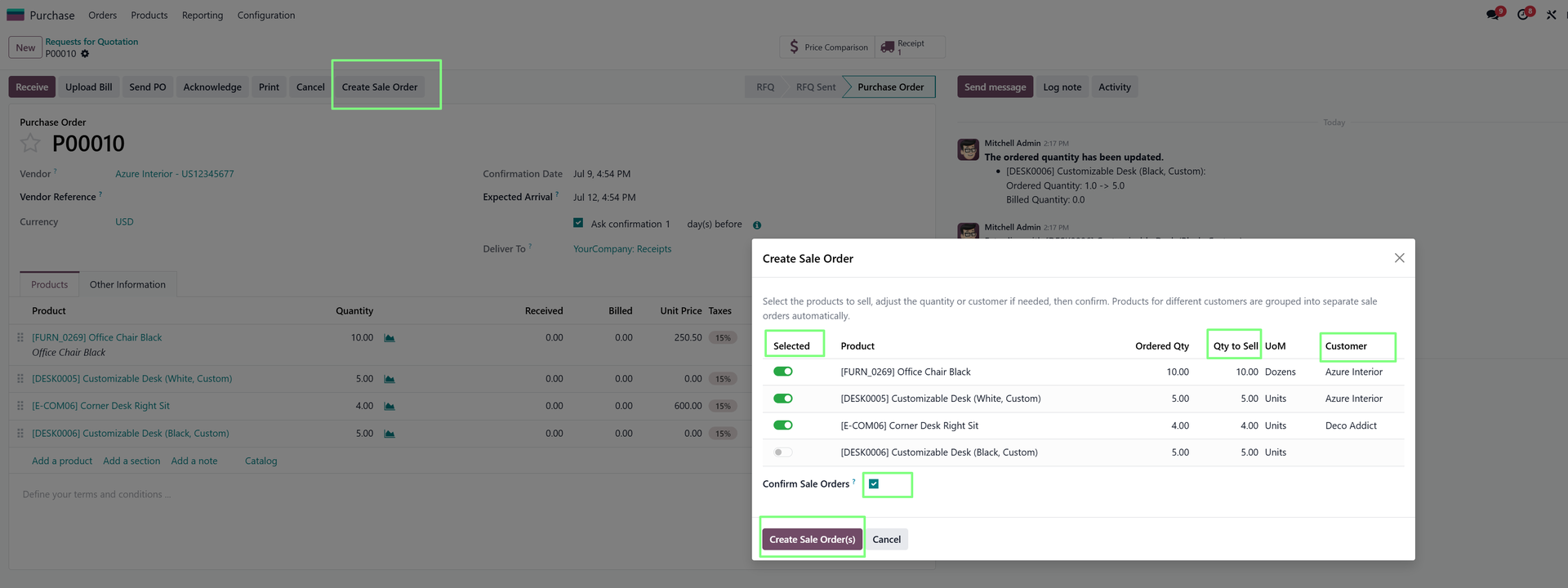
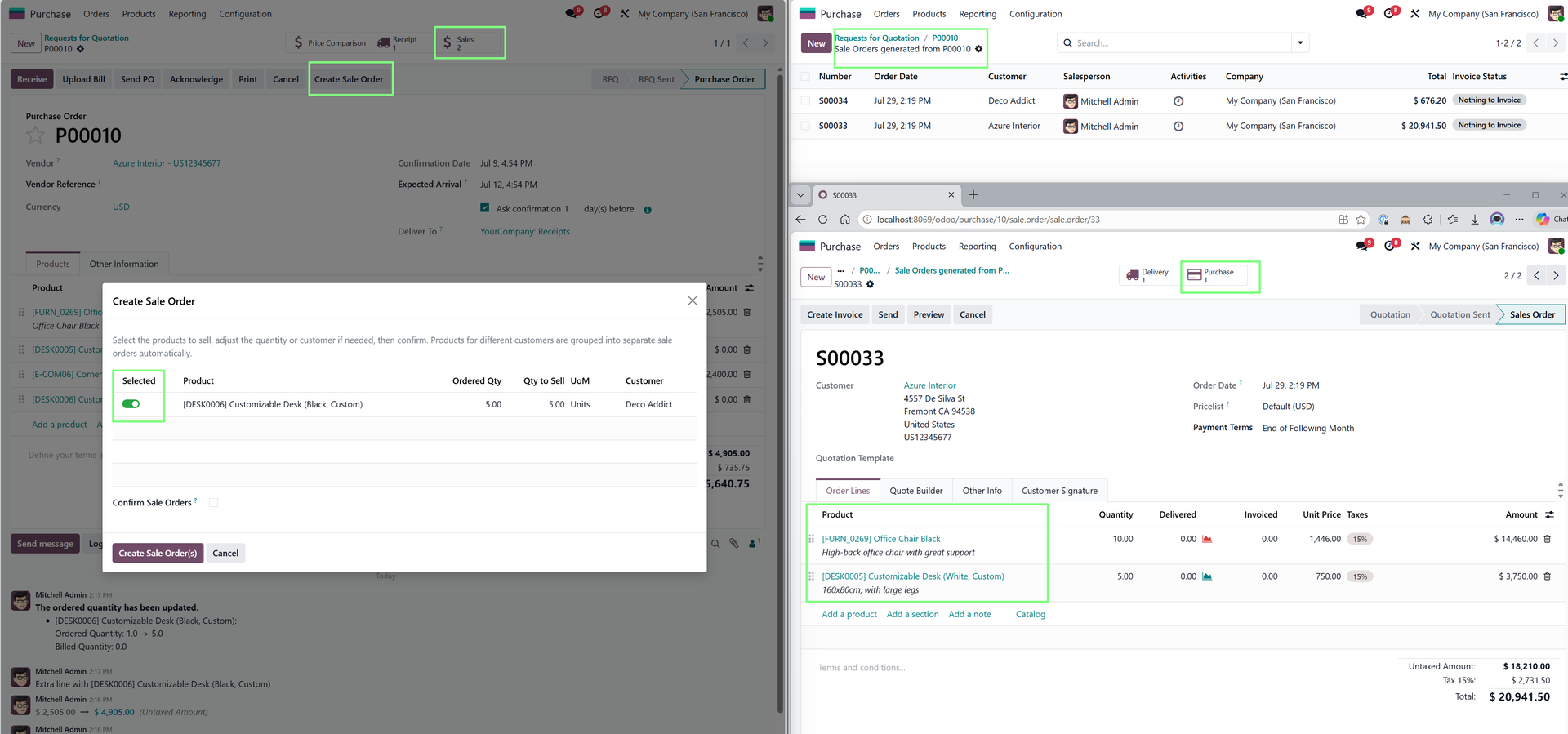
Sale Orders from Purchase Orders creates sale orders from purchase order lines and splits them automatically per customer.
Where It Fits
- Trading businesses that convert purchase activity into customer sales.
- Procurement-led workflows where customer documents follow vendor documents.
- Teams that need customer-specific sales orders from mixed purchase lines.
Setup Check
Confirm customer mappings and product details before rollout. The generated sales orders are only as reliable as the source purchase data.
Example: Customer Orders From Procurement Activity
Some companies buy goods first and then create customer sales orders from those purchase lines. Re-entering the same details creates a gap between procurement and sales.
This app helps turn selected purchase order lines into sales orders, split per customer, so the commercial documents stay connected.
What to Review
- Confirm customer information before generating sales orders.
- Check product descriptions and quantities after conversion.
- Review pricing rules if purchasing and sales use different price logic.
Why Purchase-Led Sales Workflows Need Care
When sales documents are created from purchase activity, users need to preserve product, quantity, and customer context. Manual re-entry increases the risk of mismatched details.
This app is useful for businesses where purchasing and selling are closely linked, especially trading or project-driven workflows.
A Cleaner Purchase-to-Sales Handoff
The app is not only about creating sales orders faster. It keeps the commercial workflow connected from purchase lines to customer-facing documents, reducing re-entry between teams.
Why This Is Useful for Trading Workflows
In some businesses, purchase orders are not only procurement documents; they are the starting point for customer sales activity. When the purchase lines already contain the relevant product and quantity information, retyping them into sales orders adds unnecessary friction.
Creating sales orders from purchase lines helps preserve that context and gives users a faster path to customer-facing documents.
Why Customer Splitting Matters
The automatic customer split is an important part of the value. The app is not only copying lines; it helps organize the resulting sales documents by customer.
Explore Sale Orders from Purchase Orders on Odoo Apps
See the full app listing, screenshots, version details, and installation information on the Odoo Apps Store.