
Turning Sales Demand Into Vendor Orders
When sales orders drive purchasing, teams often recreate purchase order lines manually and then split them by vendor. That handoff takes time and can introduce errors.
Purchase Orders from Sales Orders creates purchase orders directly from sales order lines and splits them automatically per vendor.
Best-Fit Workflows
- Distribution teams buying goods after customer demand is confirmed.
- Project or trading businesses that procure items per sales order.
- Teams that need vendor-specific purchase orders from mixed sales lines.
Data to Confirm
Make sure vendor information is accurate on products before relying on automatic PO creation. Clean vendor data makes the split more reliable.
Example: Vendor Split From One Sales Order
A single sales order may include products supplied by different vendors. Creating purchase orders manually means users must separate those lines, choose the right vendor, and re-enter information that already exists.
Generating purchase orders from sales lines reduces that handoff work and helps purchasing start from confirmed sales demand.
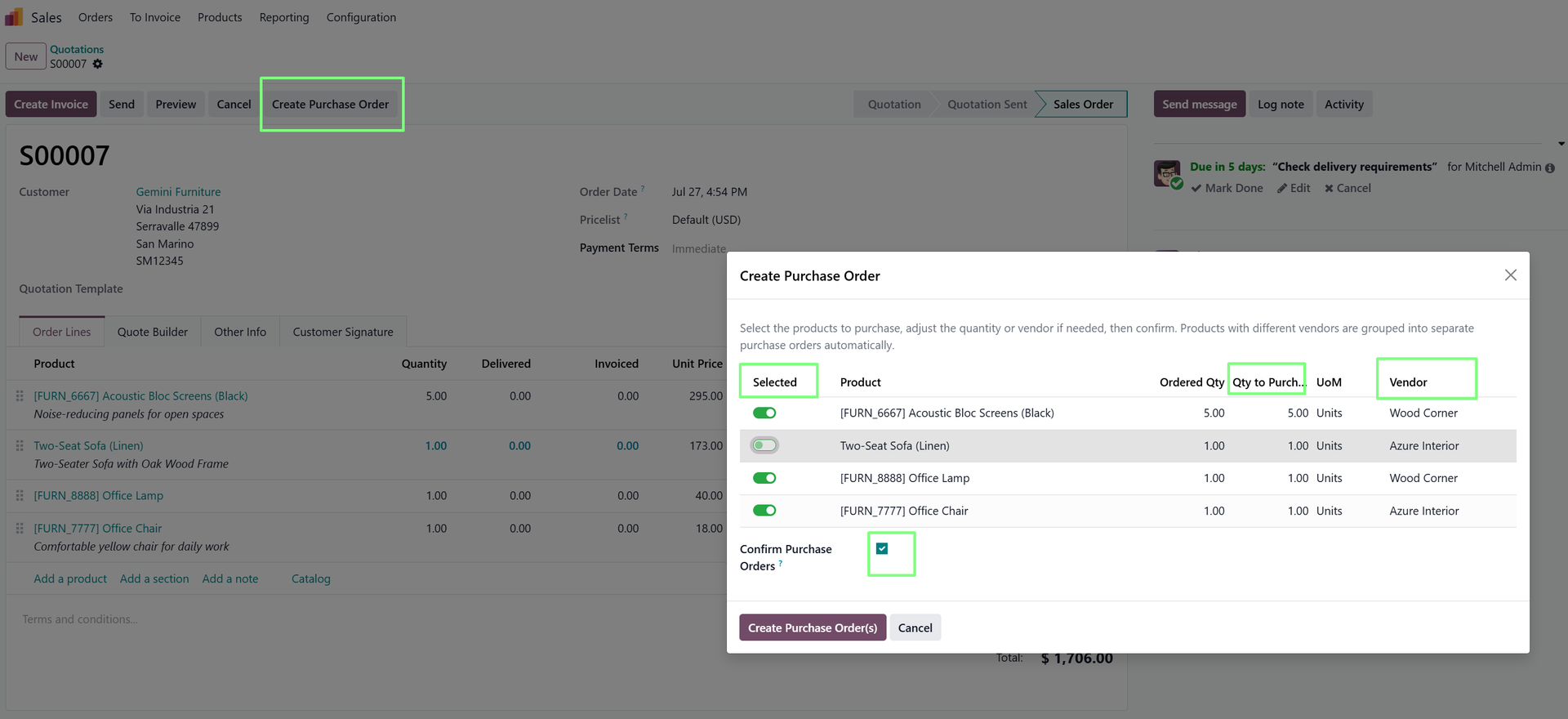
Good Data Makes Better Purchase Orders
Before using the workflow broadly, review product vendor settings and purchasing information. The automation works best when vendor data is already clean.
Why Vendor Splitting Matters
A sales order can contain products from multiple vendors. If purchasing users have to split those lines manually, they spend time re-checking suppliers and recreating purchase documents.
Automatic vendor splitting helps purchasing teams move faster while keeping the purchase order structure aligned with vendor responsibility.
What Users Should Review
- Vendor assignments on product records.
- Quantities and descriptions carried from the sales order.
- Any purchasing rules that affect price, lead time, or vendor choice.
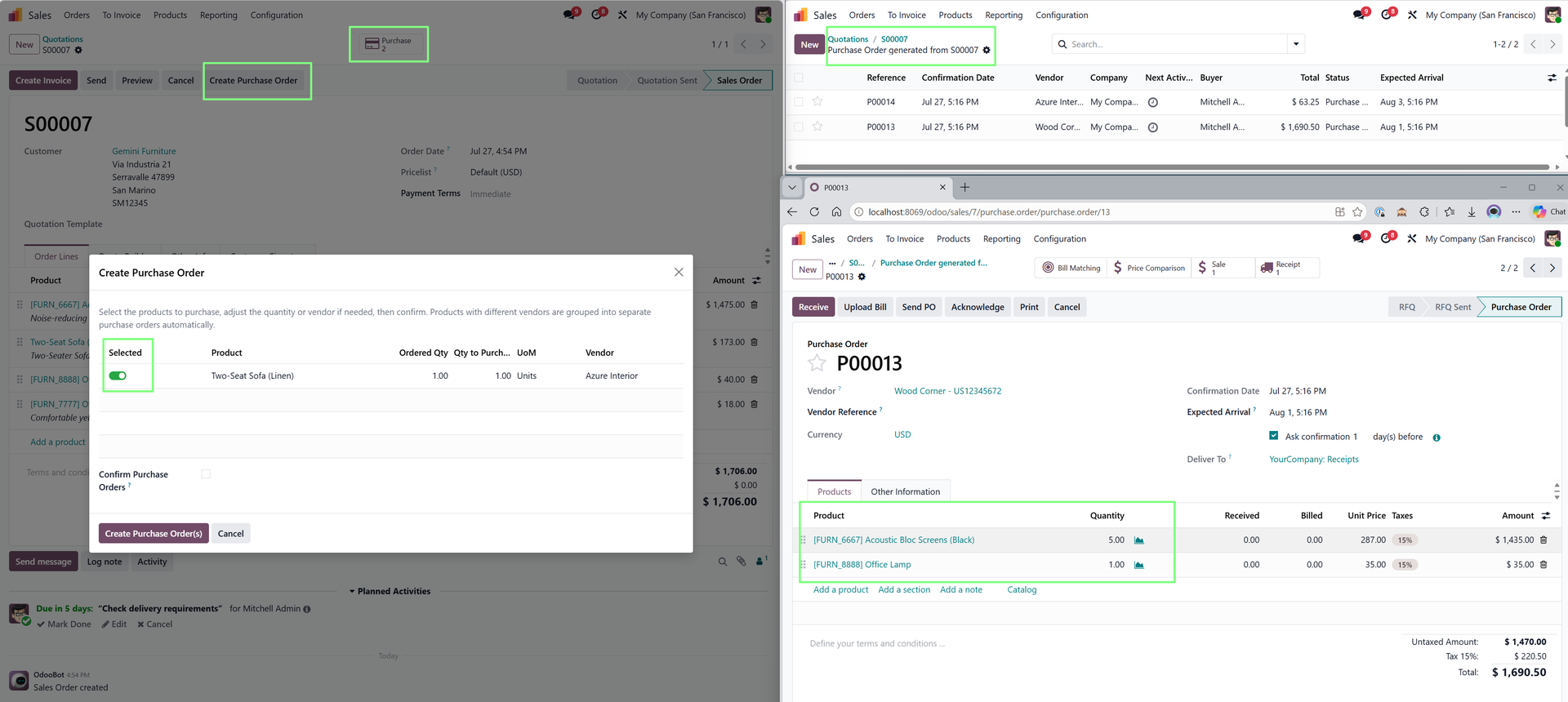
How It Supports Sales-to-Procurement Handoffs
A confirmed sale can create immediate purchasing work. If that handoff is manual, procurement users must interpret the sales order, identify vendors, and recreate documents from information that already exists.
Generating purchase orders from sales lines helps the purchasing team start from cleaner demand data and reduces unnecessary re-entry between departments.
Why Vendor Data Matters
The app's value is clearest when vendor information is already maintained properly on products. Clean vendor data helps generate purchase orders split correctly and encourages better master data habits.
Explore Purchase Orders from Sales Orders on Odoo Apps
See the full app listing, screenshots, version details, and installation information on the Odoo Apps Store.