
Order Documents Often Need Supporting PDFs
Quotations, sales orders, and purchase orders frequently need terms, drawings, specifications, or other supporting PDFs. Sending those files separately can make the document package harder to manage.
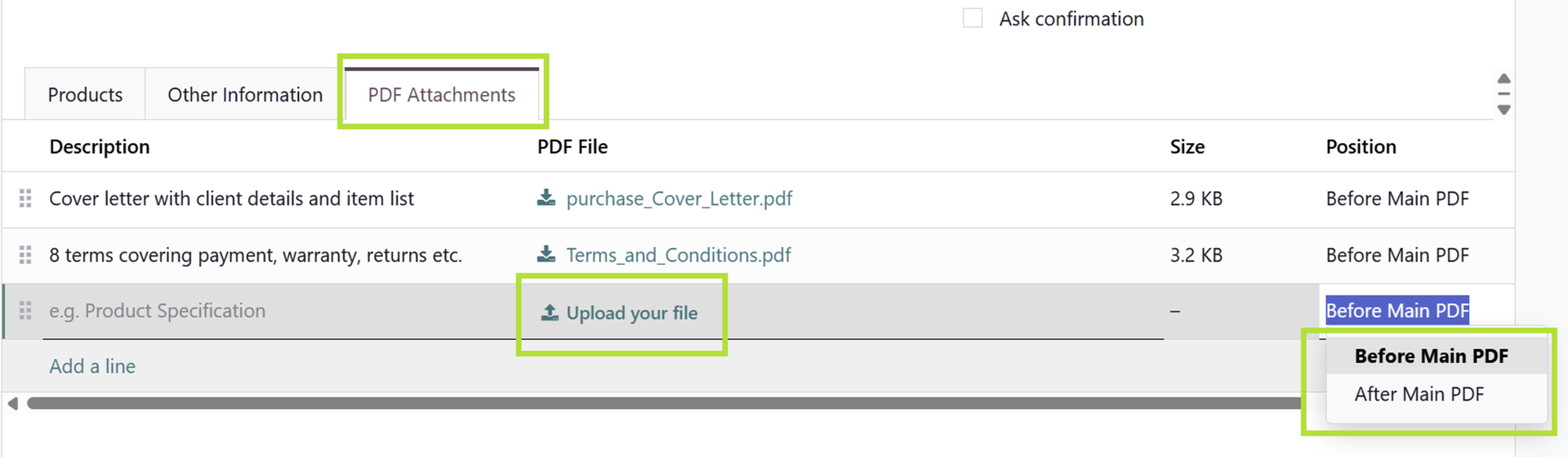
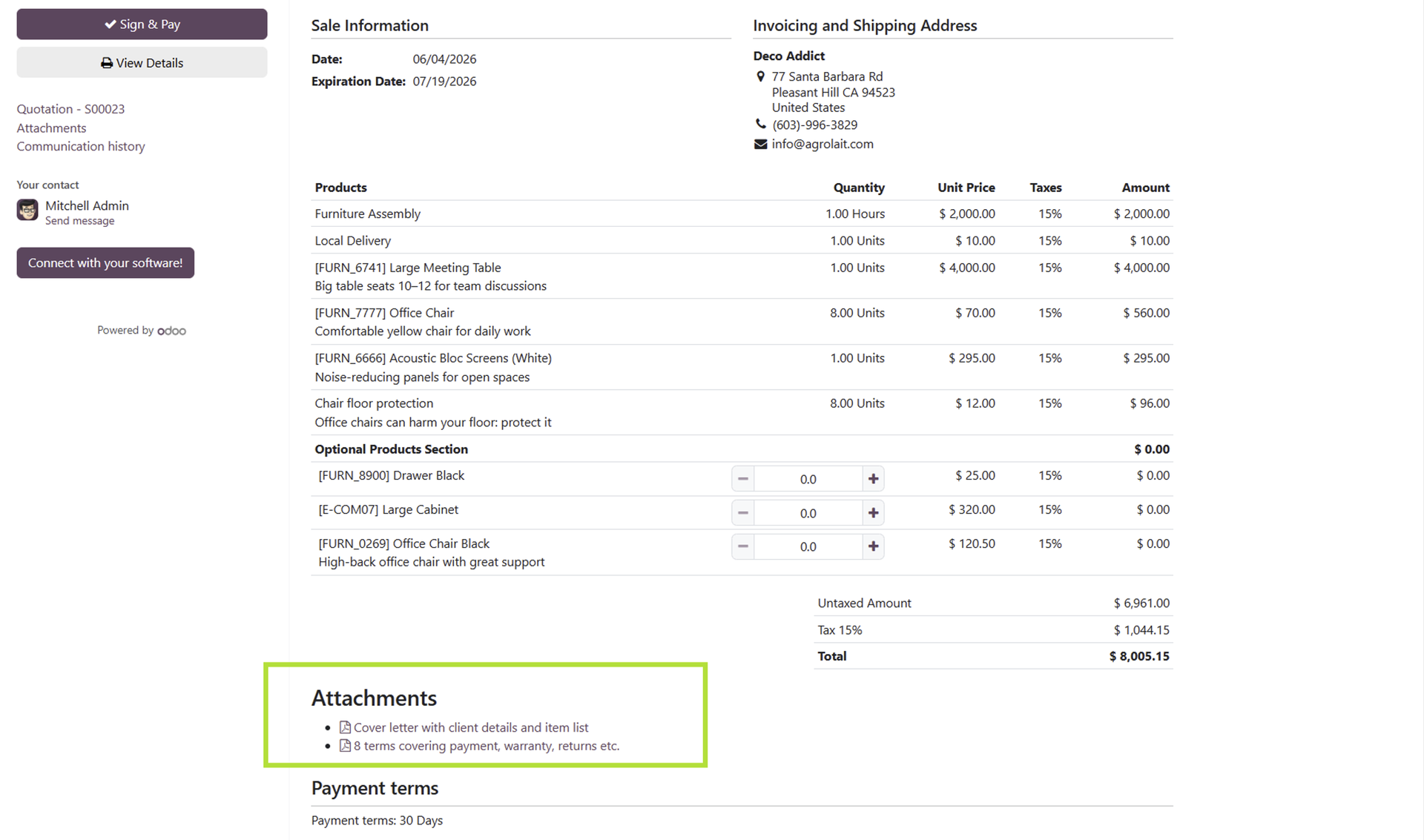
PDF Merge for Sales and Purchase Orders merges selected PDF attachments into sales and purchase order documents.
What Becomes Easier
Complete Packages
Send one document package instead of several disconnected files.
Transaction Context
Keep supporting PDFs tied to the order workflow.
Cleaner Sharing
Reduce follow-up when customers or vendors ask for missing attachments.
Document Control Tip
Decide which attachments are safe to merge into customer-facing or vendor-facing documents. Internal-only PDFs should stay out of the final package.
Example: Sending a Complete Quote Package
A quotation may need technical drawings, terms, compliance documents, or product specifications. If those PDFs are sent separately, customers may miss important context.
Merging supporting PDFs into the sales or purchase document creates a more complete package while keeping the documents tied to the order workflow.
What to Include
- Customer-facing specifications or drawings.
- Terms and supporting documents that should travel with the order.
- Vendor-facing attachments for purchase order communication.
Why a Single PDF Package Helps
Customers and vendors often prefer a complete document package instead of several separate attachments. A merged PDF can reduce confusion about which files belong to the order.
This is particularly useful for technical sales, manufacturing, construction, services, and purchasing workflows where supporting documentation is part of the transaction.
What to Review Before Sending
- Confirm every merged PDF is meant for the recipient.
- Check attachment order if the document package needs a logical sequence.
- Keep internal-only documents separate from customer or vendor packages.
Why Attachment Context Matters
Supporting PDFs are most useful when they travel with the document they explain. A drawing sent separately from a quotation, or a specification sent separately from a purchase order, can be missed or misunderstood.
Merging selected PDFs into the final document package makes the communication easier for the recipient to follow.
Why This Improves Professional Presentation
A single organized PDF package can feel more professional to customers and vendors. It reduces the chance that supporting documents are overlooked or separated from the order they explain.
Explore PDF Merge for Sales and Purchase Orders on Odoo Apps
See the full app listing, screenshots, version details, and installation information on the Odoo Apps Store.