
Duplicating Products Should Not Mean Rebuilding BOMs
Manufacturing teams often create new products that are close to existing ones. Standard duplication can save time on the product record, but recreating the Bill of Materials manually still creates extra work and room for mistakes.
Duplicate Product with BOM copies the product together with its BOM structure, including lines, quantities, and variant attribute values.
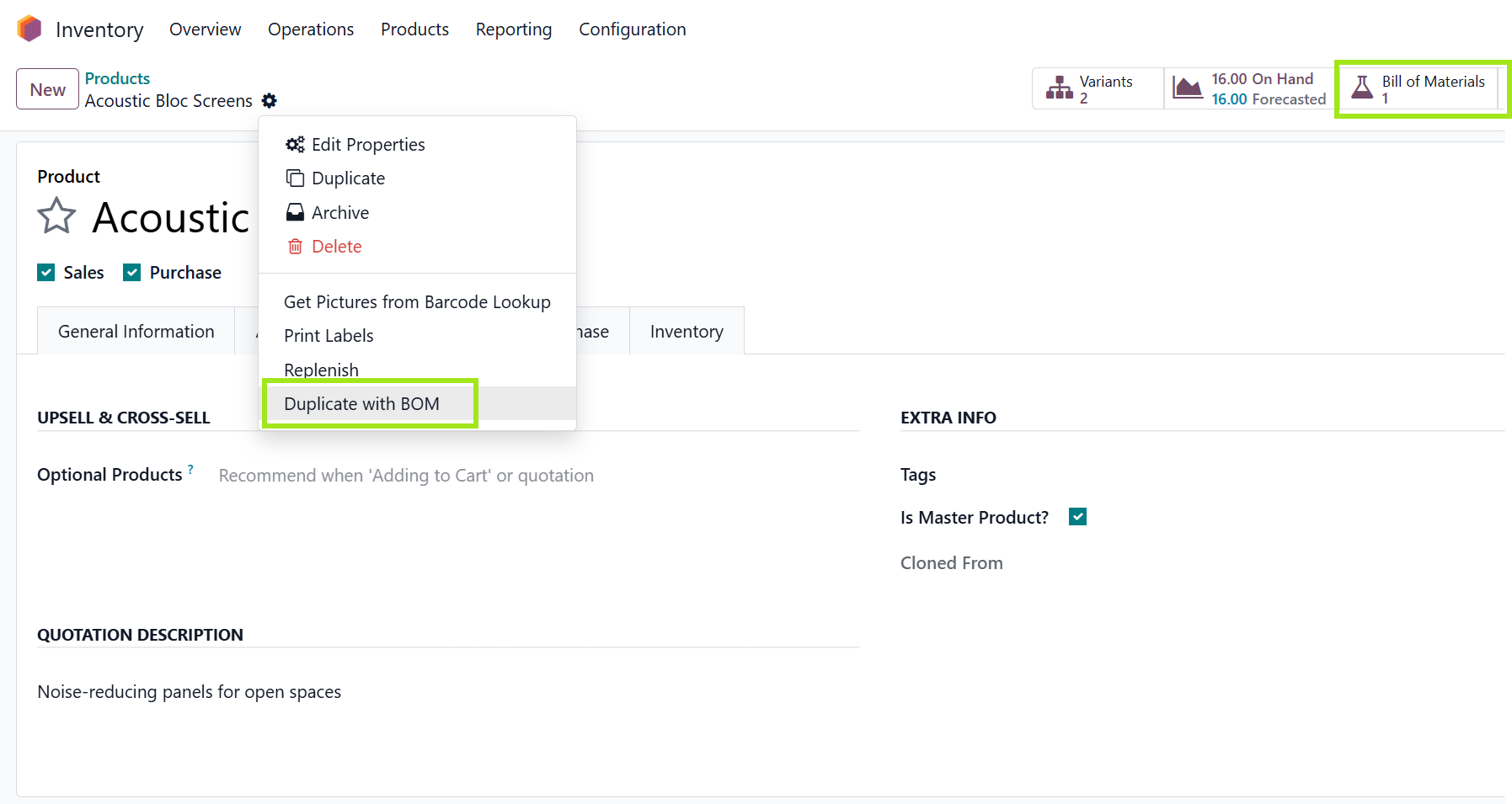
How Teams Use It
Start with a source product that already has the right manufacturing structure. Duplicate it with the BOM, then review only what changed: product details, quantities, components, or variant-specific values.
Best fit: manufacturers that create similar products, product families, or variant-based manufactured items in Odoo.
Why It Reduces Risk
- Users are less likely to forget BOM lines during manual recreation.
- Variant values stay easier to compare after duplication.
- New product setup becomes faster without losing review control.
Where It Saves Time
This app is especially helpful when a new product is based on an existing manufactured item. Instead of creating the product and then rebuilding the Bill of Materials line by line, users can start from a copy that already contains the expected structure.
That is useful for product families, customer-specific versions, seasonal variations, and variant-based manufactured items where most components remain the same.
What to Check After Duplication
- Confirm whether any component should be replaced for the new product.
- Review quantities, units of measure, and variant-specific values.
- Update the product name and internal references so the copy is easy to identify later.
A Simple Example
If a manufacturer sells two similar assemblies with only a few component differences, the team can duplicate the existing product with its BOM, adjust the changed lines, and move forward with review. The app does not remove the need for review; it removes the repetitive rebuild.
Explore Duplicate Product with BOM on Odoo Apps
See the full app listing, screenshots, version details, and installation information on the Odoo Apps Store.