
Making BOM Work Easier to Reuse and Share
Manufacturing teams rely on accurate Bill of Materials data for production, quoting, planning, and customer communication. When that data needs to be shared outside Odoo, manual exports can create inconsistencies and extra review work.
The practical cost is usually paid in small moments: a user checks the same data again, a manager asks for clarification, or a team creates a workaround outside the system.
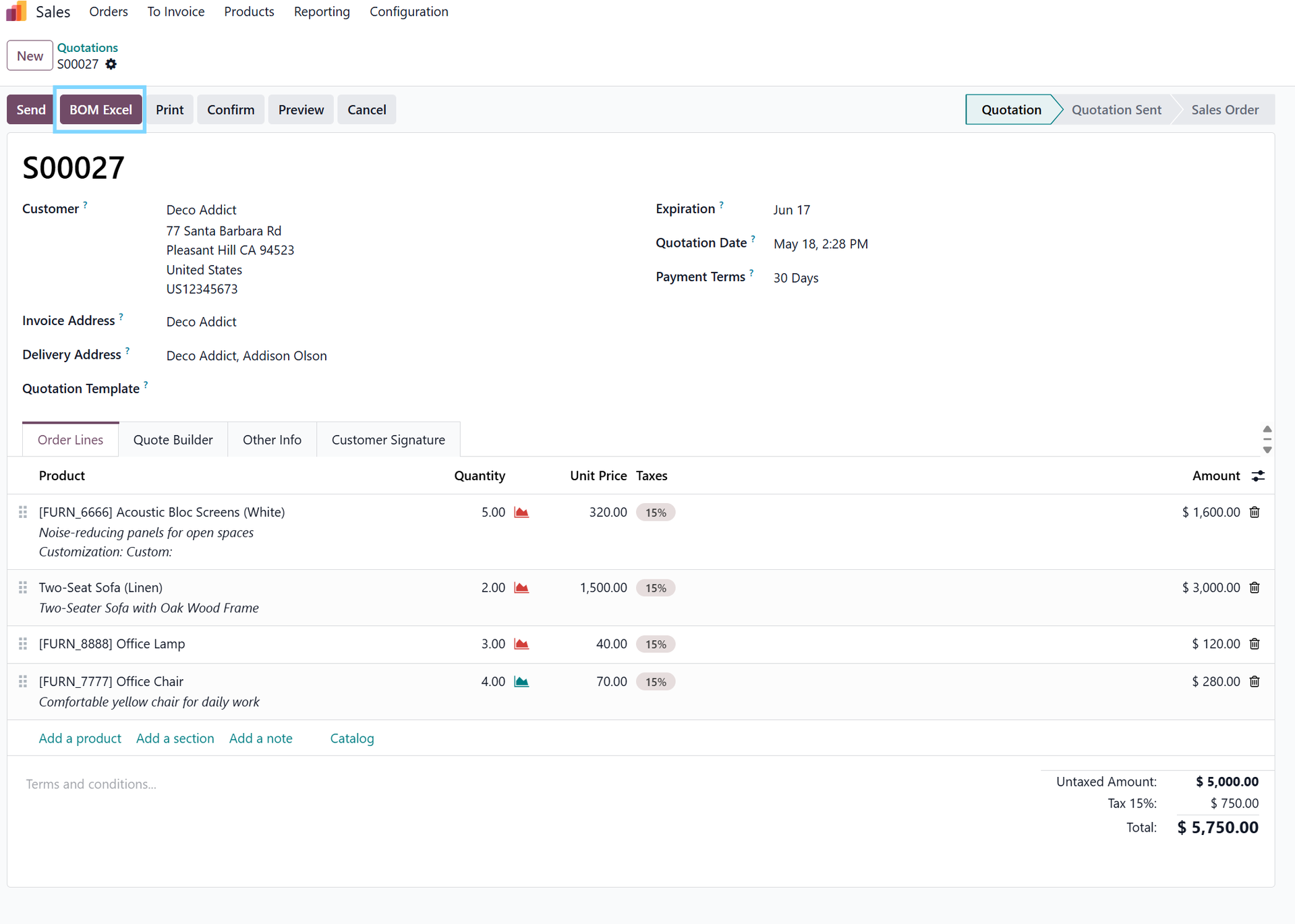
How BOM Excel Export Improves the Workflow
BOM Excel Export creates structured Excel exports of Bill of Materials data with configurable contact, project, and sales information. The app helps reduce manual preparation around BOM records so teams can focus more on review, planning, and execution. In daily use, this supports three practical outcomes: share BOM details in a familiar spreadsheet format, support quoting, planning, and production review, and reduce manual spreadsheet preparation.
The result is a targeted improvement that feels like part of Odoo rather than a separate habit the team has to remember.
Cleaner Manufacturing Data in Daily Operations
The most useful improvements are often the ones users notice immediately: fewer repeated actions, clearer information, and a lower chance of small mistakes becoming bigger cleanup work later.
Share BOM details in a familiar spreadsheet format
The team can share BOM details in a familiar spreadsheet format without leaving the related Odoo workflow. The improvement stays close to the record, document, or action where the work already happens.
Support quoting, planning, and production review
The team can support quoting, planning, and production review without leaving the related Odoo workflow. The improvement stays close to the record, document, or action where the work already happens.
Reduce manual spreadsheet preparation
The team can reduce manual spreadsheet preparation without leaving the related Odoo workflow. The improvement stays close to the record, document, or action where the work already happens.
Who Should Consider BOM Excel Export
BOM Excel Export is especially useful for manufacturing, engineering, project, and sales teams that need clean BOM exports from Odoo. These users usually care about reducing avoidable follow-up, keeping records easier to trust, and making the process clearer for the next person who touches the work.
Best use case: Export Bill of Materials information to Excel for clearer review and sharing.
Working With BOM Data More Efficiently
The workflow is intentionally simple, so the app can support real users rather than becoming another process to manage.
Start
Open the BOM record.
Configure
Choose the Excel export action.
Use
Include the configured business context.
Review
Share or review the exported workbook.
Implementation Notes for BOM Excel Export
Review how your team names products, variants, and BOM lines before rollout so copied or exported data remains easy to understand.
That review keeps the rollout grounded in your actual Odoo process instead of treating the app as a generic switch to turn on.
Why BOM Excel Export Matters for Odoo Teams
BOM Excel Export follows the same practical Atliis 360 approach we use across our Odoo apps: solve one real workflow problem clearly, keep the experience familiar for users, and avoid unnecessary operational complexity.
For companies that rely on Odoo every day, these focused improvements can make the system feel more reliable, more intentional, and easier for teams to trust.
Explore BOM Excel Export on Odoo Apps
See the full app listing, screenshots, version details, and installation information on the Odoo Apps Store.