
Overview
A straightforward look at how Odoo helps teams verify, adjust, and control stock levels with structured physical counts.
Create and Manage Accurate Stock Counts
A guided way to set up physical counts for locations or products.
Key Functions:
Start inventory counts for selected stock locations
Filter products based on category or status
Record counted quantities directly inside Odoo
Compare Expected and Counted Quantities Easily
A clear view of differences between system quantities and real counts.
Key Functions:
Highlight mismatched stock levels for review
Display expected quantities during count process
Update discrepancies using controlled adjustments

Validate Adjustments with Proper Controls
Structured approval steps help keep stock updates consistent and accurate.
Key Functions:
Validate counts before applying stock corrections
Apply updates to inventory with one confirmation
Maintain clear records of all inventory adjustments
Use Barcode Scanning to Speed Up Counting
Scanning tools reduce manual entry and make counts faster.
Key Functions:
Scan items to record accurate product counts
Reduce typing errors during large stock checks
Move quickly through warehouse shelves efficiently

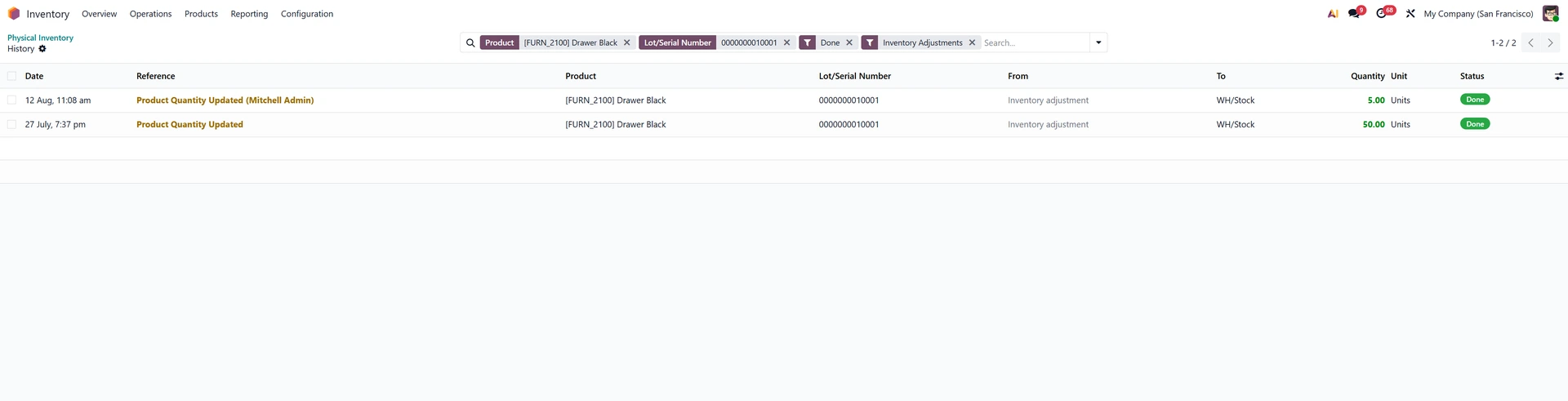
Review Inventory History and Audit Trails
Detailed logs help track changes and understand correction activity.
Key Functions:
View historical adjustments for each product
Trace reasons behind past inventory corrections
Maintain transparency for audits and investigations
Plan Inventory Cycles to Maintain Accuracy
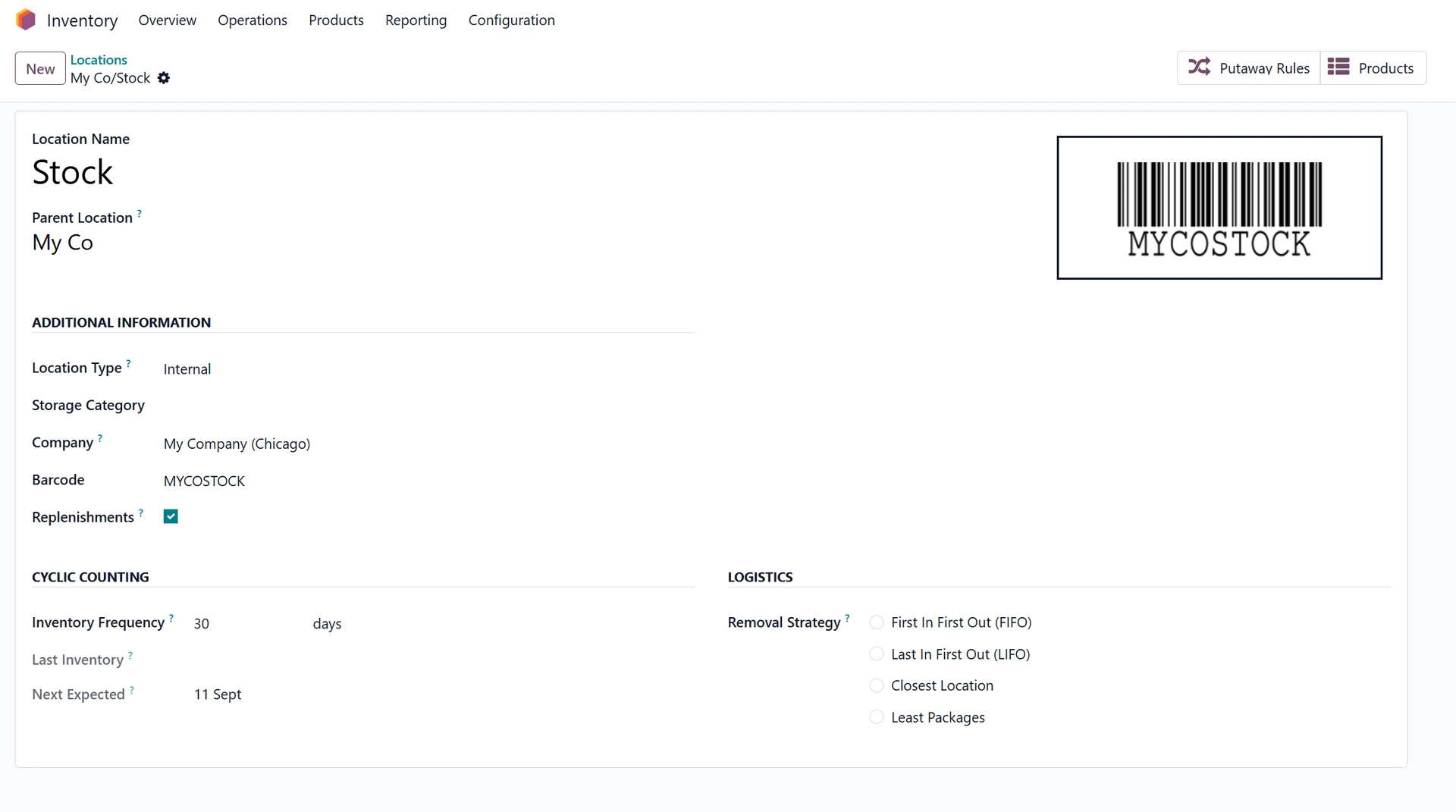
Cycle counts help maintain cleaner stock records throughout the year.
Key Functions:
Schedule recurring counts for key locations
Rotate product groups for smaller frequent checks
Improve accuracy without full warehouse shutdowns
The Takeaway
Odoo Physical Inventory provides a structured way to run counts, highlight discrepancies, and apply accurate stock updates with full visibility and traceability built into the workflow.
Looking Ahead
Future improvements continue to refine counting tools, barcode workflows, and reporting options—making physical stock verification smoother and more integrated with overall warehouse operations.